: Daylight saving time (summer time) setting
: Version
: Resetting the settings
[27] Changing the Settings
List of setting items
How to set the setting items
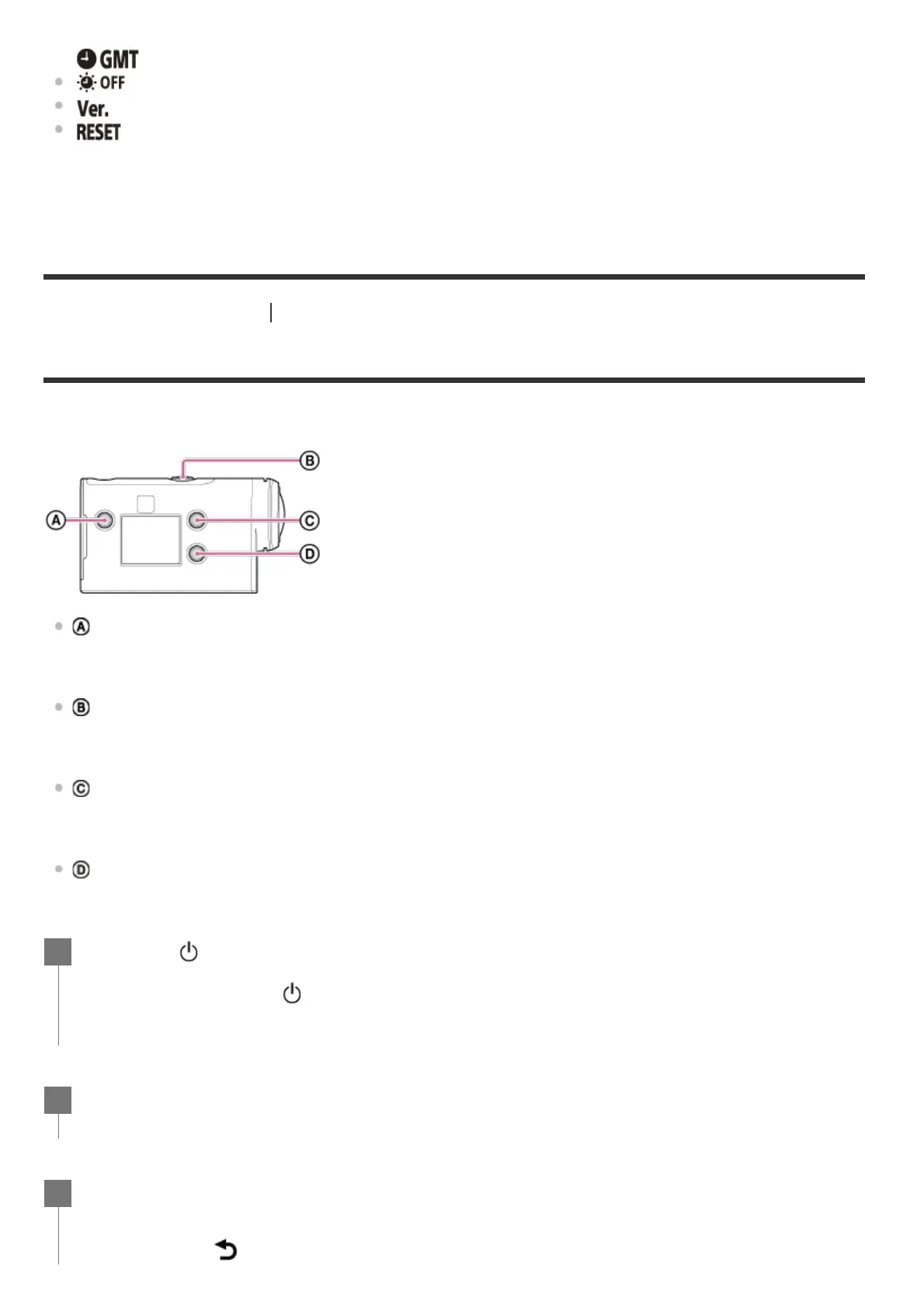
You can set items using the following 4 buttons on the camera.
: MENU button
Displays the menu
: REC/ENTER button
Executes the menu
: UP button
Goes to the previous menu
: DOWN button
Goes to the next menu
This setting is only available in some countries and regions.
Press the (on/standby) button to turn on the power.
To power off, press the
(on/standby) button again.
1
Press the MENU button.
2
Press the UP button or DOWN button to select the icon of the item, then press the
REC/ENTER button.
To retry, press
, then press the REC/ENTER button.
3



 To Next Page