[39] Changing the Settings
Shooting settings
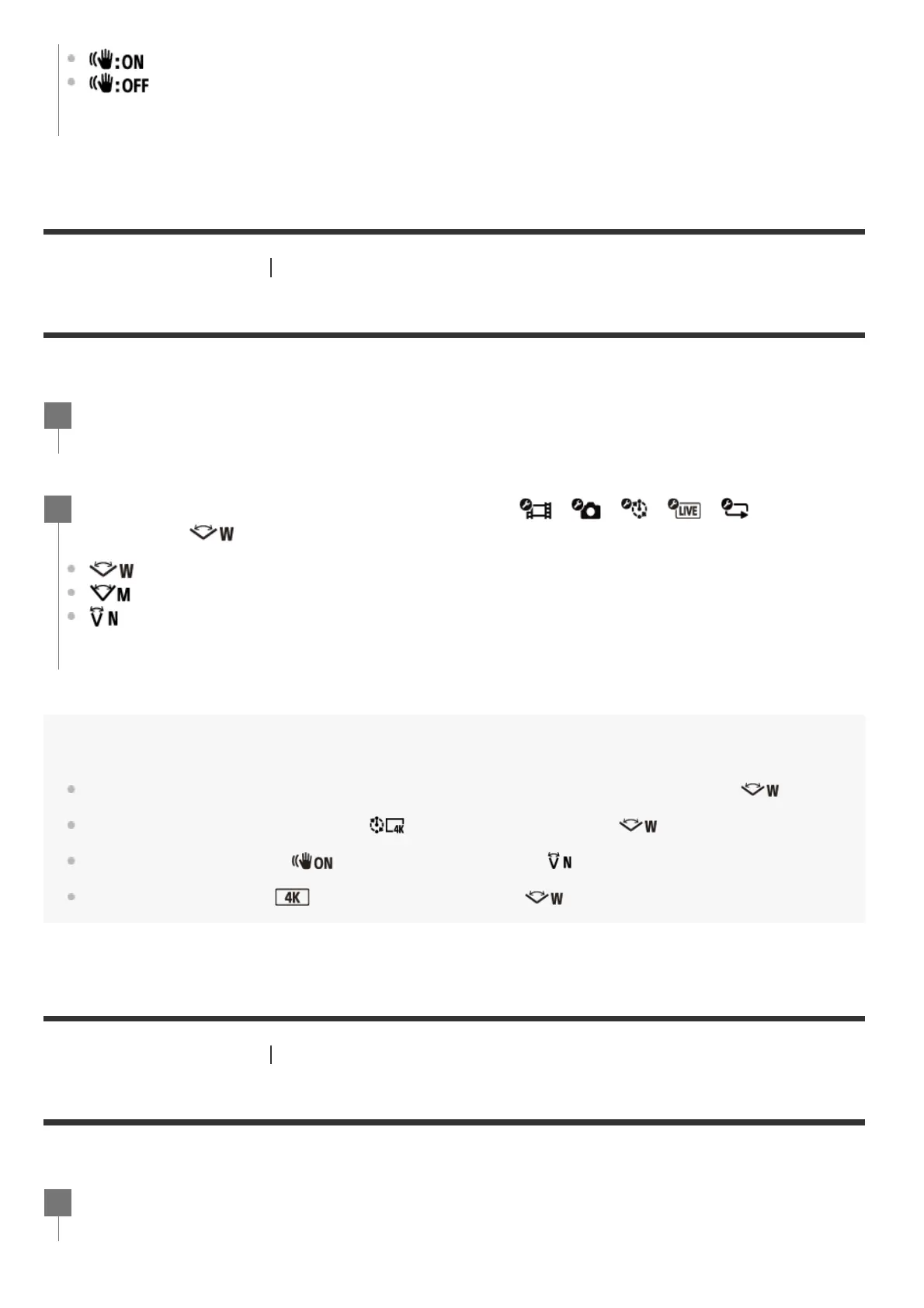
Angle setting
You can configure the angle of view of the camera for shooting.
Note
When shooting with high speed (frame rate is more than 120p), the angle of view is fixed to .
When Time-lapse capture image size is
, the angle of view is fixed to .
When SteadyShot (Movie) is
, the angle of view is fixed to . (HDR-AS50)
When the movie format is
, the angle of view is fixed to . (FDR-X3000)
[40] Changing the Settings
Shooting settings
Zoom setting
You can set whether to use the digital zoom.
(Uses SteadyShot function when shooting still images.)
(Does not use SteadyShot function when shooting still images.)
Press the MENU button.
1
Press the UP button or DOWN button to select / / / / (Shooting
settings) -
(Angle setting) - setting value, then press the REC/ENTER button.
: Wide (Records with a wide angle of view)
: Medium (Records with a standard angle of view (FDR-X3000/HDR-AS300))
: Narrow (Records with a narrow angle of view)
2
Press the MENU button.
1



 To Next Page