Purchase a RMT-845 at a Sony service center.
You can operate only the following settings using the RMT-845 (sold separately). Other settings are
inoperable.
Initialize the time code.
When initializing the setting, the REC lamp blinks in blue for about 5 seconds.
Start/stop recording.
[58] Changing the Settings
Camera settings
HDMI settings (FDR-X3000/HDR-AS300)
Set the HDMI output signal.
Press the MENU button.
1
Press the UP button or DOWN button to select (Camera Settings) -
(HDMI settings) - setting item, then press the REC/ENTER button.
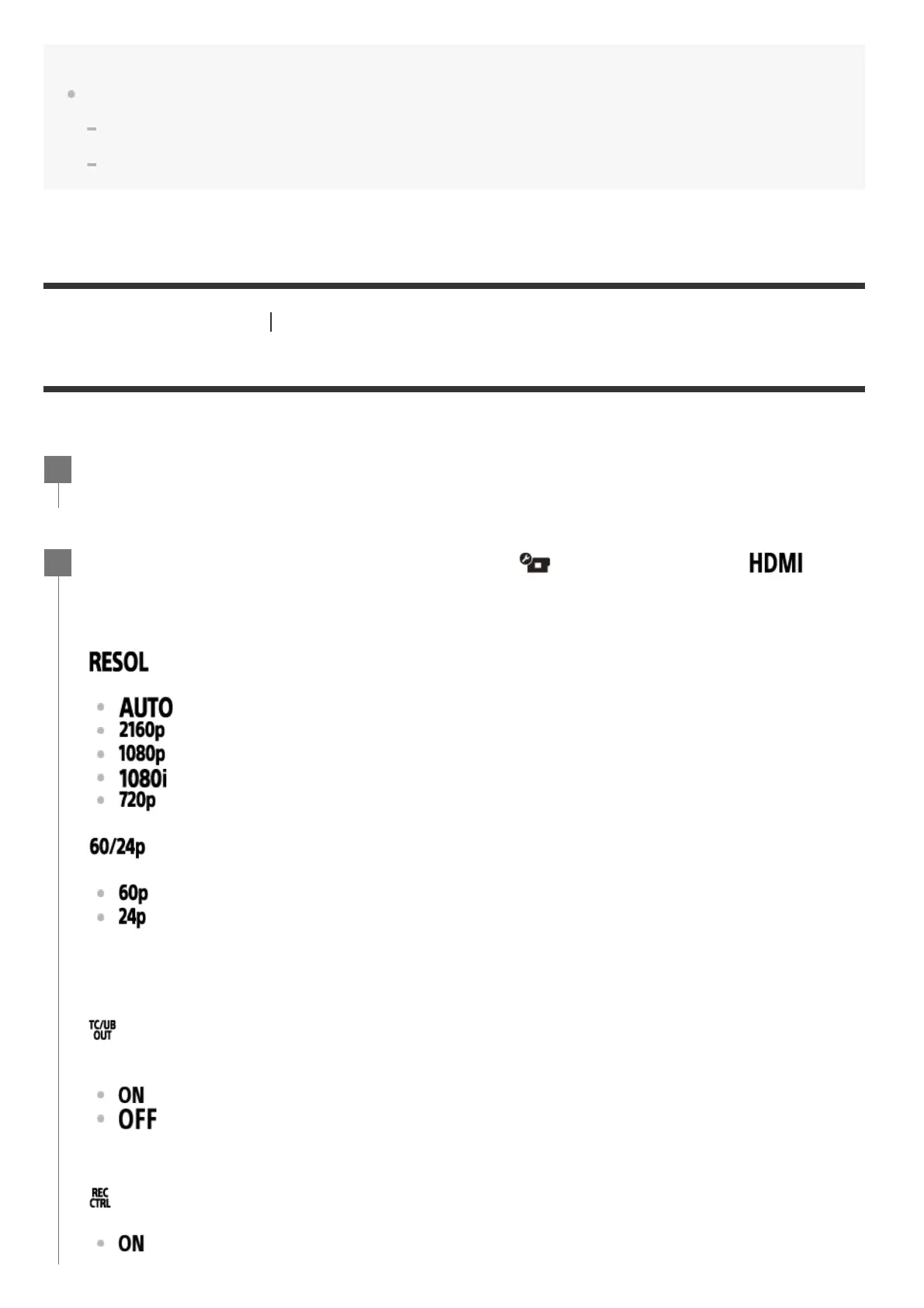
The set items and details are as follows.
: Sets the output resolution of the HDMI signal.
: Sets the HDMI resolution signal automatically.
(FDR-X3000): Sets the HDMI resolution signal to 2160p.
: Sets the HDMI resolution signal to 1080p.
: Sets the HDMI resolution signal to 1080i.
: Sets the HDMI resolution signal to 720p.
: Sets the output HDMI signal frame rate.
: Output HDMI signal is 60p.
: Output HDMI signal is 24p.
: Sends the time code or the user bit information to a device connected with HDMI (FDR-
X3000).
: Sends the time code or user bit information.
: Does not send the time code or user bit information.
: Controls the recording on a device connected with HDMI (FDR-X3000).
: Controls the recording on the device.
2
Available only when in movie mode (not available when playback).
*
This setting is disabled when image quality setting is set to a setting other than 1080 24p.
*
This setting is disabled when the HDMI resolution is set to a setting other than 1080.
*
Unavailable when movie format is set to MP4.
*



 To Next Page