9
GB
GB
Front
Location and Function of Parts and Controls
Parts Description
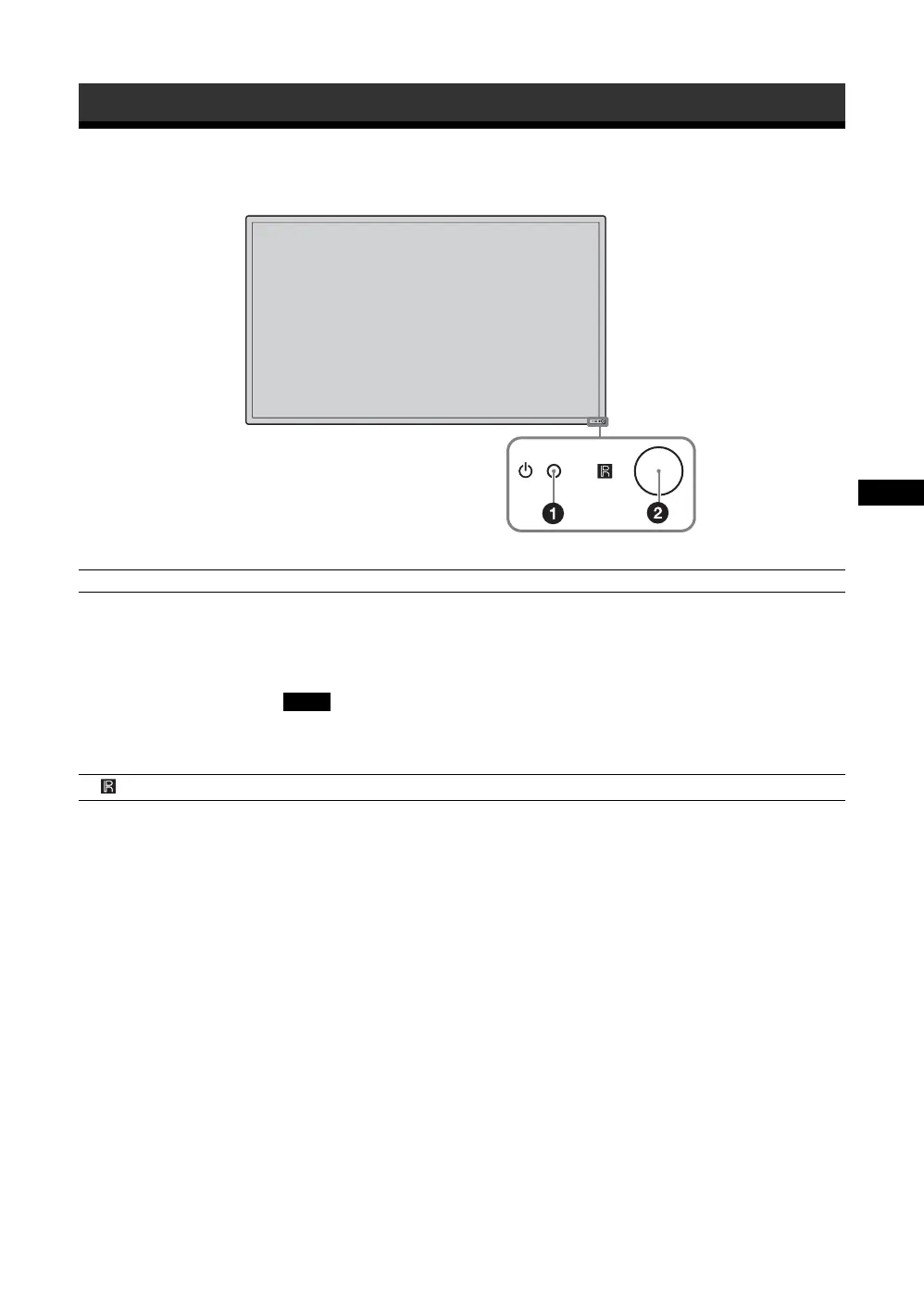
1 1 (power/stand by)
indicator
• Lights up in green when the display is switched on.
• Lights up in red when the display is in standby mode. Lights up in orange when the
display enters the power saving mode while a signal is input from a PC.
When the 1 indicator blinks in red, see page 32.
When the “LED” option in the “Multi Display” settings is set to “Off” and the “Position”
option is not set to the right-bottom, the indicator does not light up in green even when the
display is turned on, except for the case of no signal or an unsupported signal.
2 Remote control sensor Remote control light receptor.
Note





 To Next Page