15
GB
GB
Special Buttons on the Remote Control
Using the Wide Mode
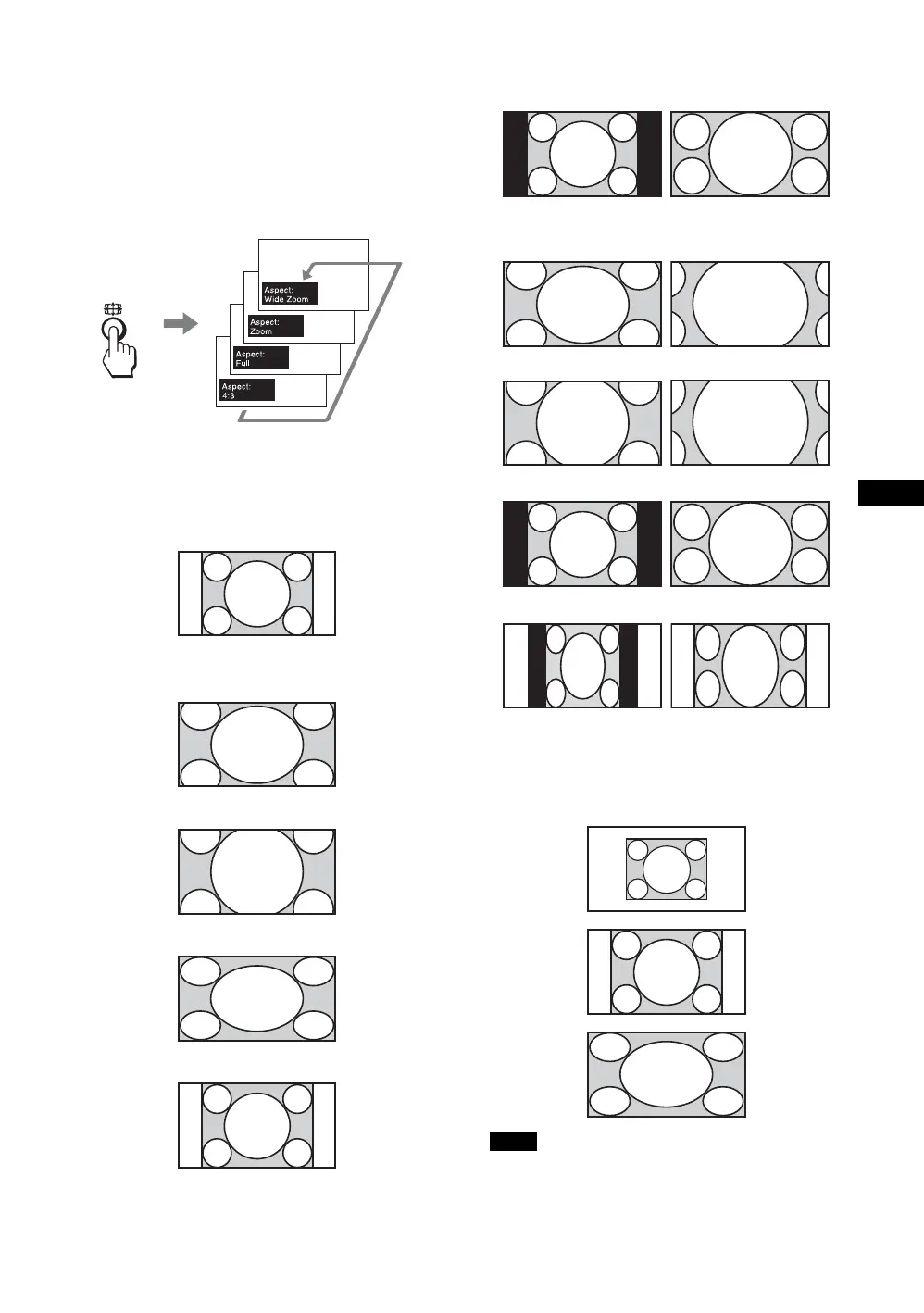
You can change the aspect ratio of the screen.
Tip
You can also access the “Aspect” settings in the “Screen”
settings. See page 25.
For input from video equipment such as Video, DVD,
etc. (other than PC input)
4:3 Original Source
m
16:9 Original source
m
For PC Input
Illustrations below indicate the input resolution of
1,024 × 768
If the input resolution is higher than the panel resolution
(1,920
× 1,080), the display of Real is the same as Full 1.
Wide
Zoom
Zoom
Full
4:3
Wide Zoom
Zoom
Full
4:3
Real
Full 1
Full 2
Note





 To Next Page