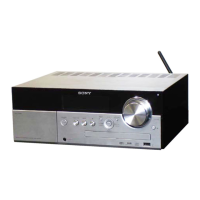
HCD-M40D/M60D/M80D
6
PLAYABLE DISCS
• DVD VIDEO
• DVD-R/DVD-RW in DVD VIDEO format or video mode
• DVD+R/DVD+RW in DVD VIDEO format
• VIDEO CD (Ver. 1.0, 1.1, and 2.0 discs)
• Super VCD
• CD-R/CD-RW/CD-ROM in VIDEO CD format or super VCD
format
• AUDIO CD
• CD-R/CD-RW in AUDIO CD format
PLAYABLE FILES ON DISCS
• Music:
MP3 fi les (.mp3)
*1*2
• Video (HCD-M40D/M60D/M80D):
MPEG4 fi les (.mp4/.m4v)
*2*3
, Xvid fi les (.avi)
PLAYABLE FILES ON USB DEVICE
• Music:
MP3 fi les (.mp3)
*1*2
, WMA fi les (.wma)
*2
, AAC fi les
(.m4a/.mp4/.3gp)
*2
, WAV fi les (.wav)
*2
• Video (HCD-M40D/M60D/M80D):
MPEG4 fi les (.mp4/.m4v)
*2*3
, Xvid fi les (.avi)
Note
*1
MP3 (MPEG 1 Audio Layer 3) is a standard format defined by
ISO/MPEG for compressed audio data. MP3 files must be in
MPEG 1 Audio Layer 3 format.
*2
Files with copyright protection (Digital Rights Management)
cannot be played back by the system.
*3
MPEG4 files must be recorded in MP4 file format. Supported
video codec and audio codec are as follows:
‒ Video codec: MPEG4 Simple Profile (AVC is not
supported.)
‒ Audio codec: AAC-LC (HE-AAC is not supported.)
*4
A logical format of files and folders on CD-ROMs, defined by
ISO (International Organization for Standardization).
NOTE OF REPLACEMENT OF THE MS-476 BOARD
When the MS-476 board is defective, exchange the entire
CDM90 ASSY.
RELEASING THE DISC TRAY LOCK
The disc tray lock function for the antitheft of sample disc in the
shop is equipped.
It can release the lock function in the following procedure.
Releasing Procedure:
1. Press the [1] button to turn the power on.
2. Press the [FUNCTION] button to select the DVD/CD function.
3. Press the [MEGA BASS] button and [VOCAL FADER] button
simultaneously for three seconds.
4. The message “UNLOCKED” is displayed on the screen
display panel and the disc tray is unlocked.
Note: When “LOCKED” is displayed on the screen display panel, the disc
tray lock is not released by turning the power on/off with the
[1]
button.
TEST DISCS
Use following TEST DISC when this unit confi rms the operation
and checks it.
• For DVD SL (Single Layer)
Part No. Description
J-6090-069-A DISC (HLX-503), TEST (NTSC)
J-6090-088-A DISC (HLX-504), TEST (NTSC)
J-2501-305-A DISC (HLX-513), TEST (NTSC)
J-6090-077-A DISC (HLX-506), TEST (PAL)
• For DVD DL (Double Layer)
Part No. Description
J-6090-071-A DISC (HLX-501), TEST (NTSC)
J-6090-089-A DISC (HLX-505), TEST (NTSC)
J-2501-306-A DISC (HLX-514), TEST (NTSC)
J-6090-078-A DISC (HLX-507), TEST (PAL)
and “CHECK MANUAL” flashes
on the display
If “PROTECTX” (X is a number)
Immediately unplug the AC
power cord (mains lead), and
check the following items.
Ş
Are you using only the supplied
speakers?
Ş
Is anything blocking the
ventilation holes of the unit?
After you have checked and
found no problems, reconnect
the AC power cord (mains lead),
and turn on the system. If the
issue persists, contact your
nearest Sony dealer.
Protect Type Description:
Error Code Description
3 Possibility of AMP IC Protection.
- Over heat up of AMP IC.
- Over current happen at speaker output.
- No supply to AMP IC when power on.
- Damage on AMP IC.


 To Next Page