11
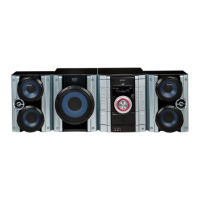
HCD-RG11
[VACS ON/OFF Mode]
•This mode is used to switch ON and OFF the VACS (Variable
Attenuation Control System).
Procedure:
1. Press ?/1 button to turn the set ON.
2. To enter the test mode, press the three buttons x , DISPLAY
and GROOVE simultaneously.
3. Press CD SYNC button while pressing DISPLAY button.
The message “VACS OFF” or “VACS ON” appears.
4. To exit from this mode, press ?/1 button to turn the set OFF.
[Equalizer Test Mode]
•This mode is used to test the function of the equalizer.
Procedure:
1. Press ?/1 button to turn the set ON.
2. To enter the test mode, press the three buttons x , DISPLAY
and GROOVE simultaneously.
3. Press
m
button while pressing DISPLAY button. The message
“BASS + 0” is displayed.
4. The value increases like + 2, + 4 ... if pressing > button
while DISPLAY button is still depressed, or it decreases like -
2, - 4 ... if pressing . button.
5. Press
M
button while pressing DISPLAY button. The message
“TRE + 0” is displayed.
6. The value increases like + 2, + 4 ... if pressing > button
while DISPLAY button is still depressed, or it decreases like
- 2, - 4 ... if pressing . button.
7. To exit from this mode, press ?/1 button to turn the set OFF.
[CD Ship Mode (No Memory Clear) ]
•This mode moves the pickup to the position durable to vibra-
tion. Use this mode when returning the set to the customer after
repair.
Procedure:
1. Press ?/1 button to turn the set ON.
2. Press CD button and ?/1 button simultaneously.
3. The "STANDBY" display blinks instantaneously, and the CD
ship mode is set.
[FL Tube Test Mode]
• All fluorecent segments and LEDs are tested.
Procedure:
1. Press ?/1 button to turn the set ON.
2. To enter the test mode, press the three buttons x , DISPLAY
and GROOVE simultaneously.
3. Press DISPLAY and DISC SKIP/EX-CHANGE buttons
simultaneously.
4. All segments and LEDs (without STANDBY LED) are turned
on.
5. To exit from this mode, press ?/1 button to turn the set OFF.
[Version and Destination Display Mode]
•The version or destination is displayed.
Procedure:
1. Press ?/1 button to turn the set ON.
2. To enter the test mode, press the three buttons x , DISPLAY
and GROOVE simultaneously.
3. Press DISPLAY and DISC 1 buttons simultaneously.
4. The version is displayed.
5. Press DISPLAY and DISC 2 buttons simultaneously.
6. The destination is displayed.
7. To exit from this mode, press ?/1 button to turn the set OFF.
[Key Check Mode]
•Keyboard check.
Procedure:
1. Press ?/1 button to turn the set ON.
2. To enter the test mode, press the three buttons x , DISPLAY
and GROOVE simultaneously.
3. Press DISPLAY and DISC 3 buttons simultaneously, and the
key check mode is activated.
4. In the key check mode, the fluorecent indicator displays “KEY
0 VOL 0”. Each time a button is pressed, “KEY 0” value
increases. However, once a button is pressed, it is no longer
taken into account.
“VOL 0” value increases like 1, 2, 3 ... if rotating VOLUME
knob clockwise, or it decreases like 0, 9, 8, ... if rotating counter-
clockwise.
5. To exit from this mode, press ?/1 button to turn the set OFF.
[CD Service Mode]
•This mode can run the CD sled motor freely. Use this mode, for
instance, when cleaning the pickup.
Procedure:
1. Press ?/1 button to turn the set ON.
2. Select the function “CD”.
3. To enter the test mode, press three buttons x , DISPLAY , and
GROOVE simultaneously.
4. Press DISPLAY and OPEN/CLOSE buttons simultaneously.
5. The CD service mode is selected.
6. With the CD in stop status, press
M
button to move the pickup
to outside track, or press
m
button to inside track.
7. To exit from this mode, perform as follows:
1) Move the pickup to the most inside track.
2) Press ?/1 button to turn the set OFF.
Note: • Always move the pickup to most inside track when exiting from
this mode. Otherwise, a disc will not be unloaded.
• Do not run the sled motor excessively, otherwise the gear can be
chipped.
+
–
–
+
w
w
w
.
x
i
a
o
y
u
1
6
3
.
c
o
m
Q
Q
3
7
6
3
1
5
1
5
0
9
9
2
8
9
4
2
9
8
T
E
L
1
3
9
4
2
2
9
6
5
1
3
9
9
2
8
9
4
2
9
8
0
5
1
5
1
3
6
7
3
Q
Q
TEL 13942296513 QQ 376315150 892498299
TEL 13942296513 QQ 376315150 892498299
http://www.xiaoyu163.com
http://www.xiaoyu163.com


 To Next Page
 Loading...