4
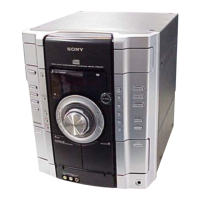
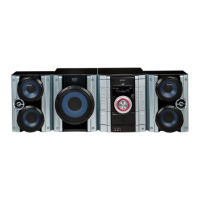
HCD-RG11
Remote Control
12 34
5
6
7
8
9
0
qa
qs
qd
qf
qg
qh
qj
qk
ql
w;
wa
CD ql (10 – 12, 15)
CLEAR w; (11)
CLOCK/TIMER SELECT 2
(16, 19)
CLOCK/TIMER SET 3 (9, 16,
18)
DISPLAY 6 (12)
D.SKIP 7 (10)
ENTER qg (9, 11 – 13, 16, 18,
19)
EQ +/– qf (17)
GAME q; (18 – 20)
GROOVE qd (17)
ON/OFF qh (17)
PLAY MODE wa (10, 11)
PRESET +/– 5 (13)
REPEAT 8 (11)
SLEEP 1 (18)
STEREO/MONO 8 (13)
SURROUND qa (17)
TAPE A/B 9 (14, 15)
TUNER MEMORY qj (12, 13)
TUNER/BAND qk (12, 13)
TUNING +/– 5 (12, 13)
VOL +/– qs
BUTTON DESCRIPTIONS
?/1 (power) 4
M (fast forward) 5
. (go back) 5
> (go forward) 5
X (pause) 5
N (play) 5
m (rewind) 5
x (stop) 5
Setting the time
1 Press ?/1 to turn on the system.
2 Press CLOCK/TIMER SET on the
remote.
Proceed to step 5 when “CLOCK” appears
in the display.
3 Press . or > repeatedly to select
“SET CLOCK”.
4 Press ENTER on the remote.
5 Press . or > repeatedly to set the
hour.
6 Press ENTER on the remote.
The minute indication flashes.
7 Press . or > repeatedly to set the
minute.
8 Press ENTER on the remote.
Tip
If you made a mistake or want to change the time,
start over from step 2.
Note
The clock settings are canceled when you disconnect
the power cord or if a power failure occurs.
w
w
w
.
x
i
a
o
y
u
1
6
3
.
c
o
m
Q
Q
3
7
6
3
1
5
1
5
0
9
9
2
8
9
4
2
9
8
T
E
L
1
3
9
4
2
2
9
6
5
1
3
9
9
2
8
9
4
2
9
8
0
5
1
5
1
3
6
7
3
Q
Q
TEL 13942296513 QQ 376315150 892498299
TEL 13942296513 QQ 376315150 892498299
http://www.xiaoyu163.com
http://www.xiaoyu163.com


 To Next Page
 Loading...