Remote control
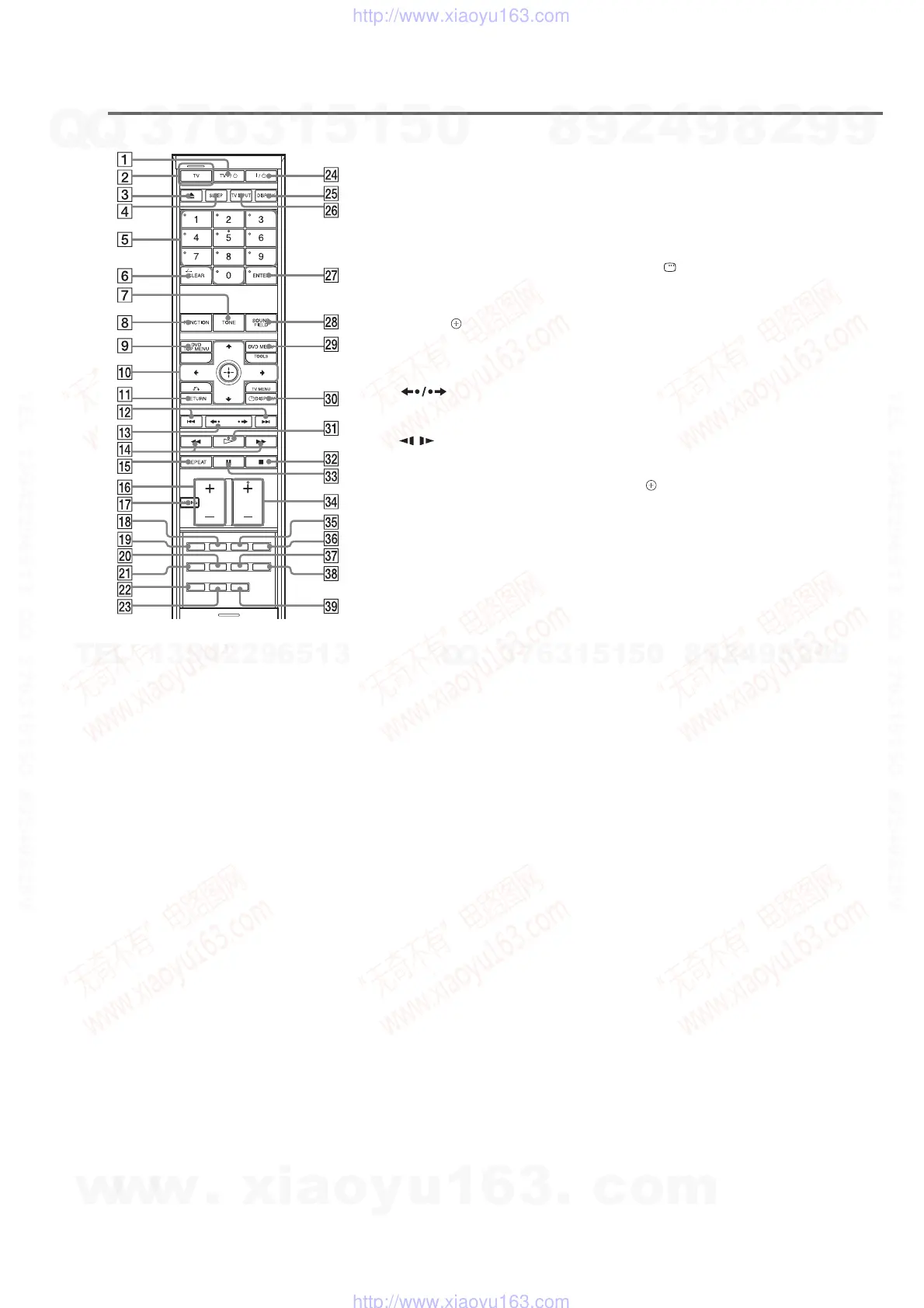
A TV [/1 (on/standby)
B TV button/TV mode indicator
C Z (eject)
D SLEEP
E Number buttons
2) 3)
F CLEAR
-/--
3)
G TONE
H FUNCTION
I DVD TOP MENU
J C/X/x/c, (ENTER)
3)
K O RETURN
3)
L ./>
PRESET –/+
M
c/C STEP
N m/M
/
TUNING –/+
O REPEAT
P VOLUME +/–
3)
Q MUTING
R AUDIO
2)
S PICTURE NAVI
T MOVIE/MUSIC
U RESOLUTION
V DIRECT TUNING
W TUNER MENU
X [/1 (on/standby)
Y DISPLAY
Z TV INPUT
wj ENTER
1) 3)
wk SOUND FIELD
wl DVD MENU
TOOLS
3)
e; DISPLAY
TV MENU
3)
ea H (play)
2)
es x (stop)
ed X (pause)
ef TV CH +/–
2)
eg SUBTITLE
eh ANGLE
ej NIGHT
ek DIMMER
el SYSTEM MENU
1)
The ENTER wj button is the same function as the
(ENTER) 0 button.
2)
The 5, H, TV CH +, and AUDIO buttons have
tactile dots. Use the tactile dots as references
when operating the system.
3)
These buttons change to the TV operation buttons
when the remote is in TV mode. The remote is in
TV mode when the TV mode indicator 2 lights
up by pressing the TV button 2.
With the cover opened.


 To Next Page