42
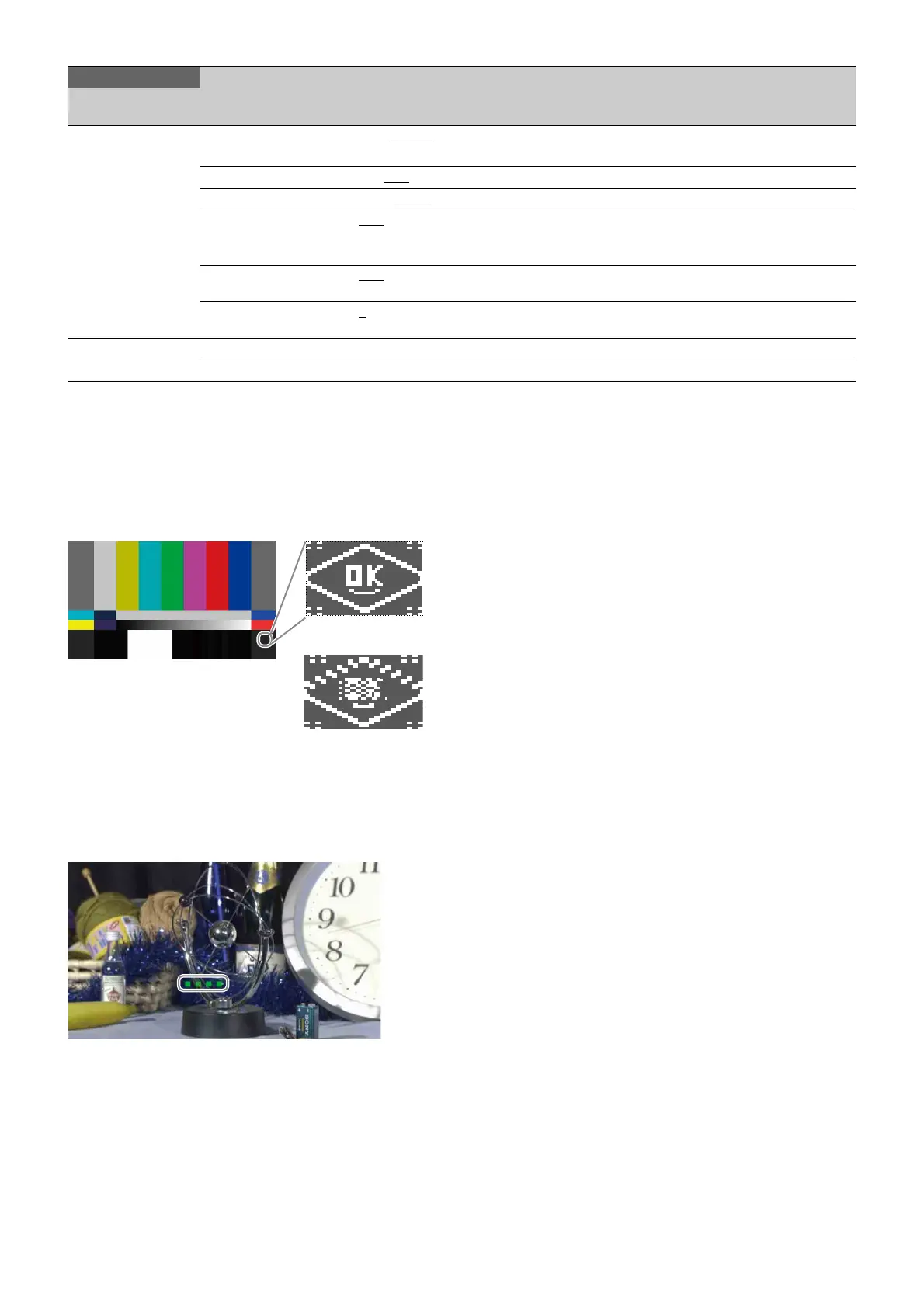
4K 2SI diamond marker
This function is for displaying a test pattern like the following in
the area at the bottom right of the 4K color bar when 4K 2-
Sample Interleave output. OK is displayed if the connections
for Links 1 to 4 are correct, and OK is not displayed if they are
incorrect. This function can be used to check the connections.
HFR channel marker
This function is for displaying a marker in the video area of HD
HFR output.
The number of squares indicates the channel number so you
can easily identify the channel number of a multi-link interface.
Example: Indication for channel 4
<OTHERS>
M20
FAN MODE OFF, AUTO1, AUTO2, MIN, MAX AUTO1: Normal rotation
AUTO2: Slow rotation
BARS ON, OFF
WHITE SETUP MOD AWB, A.LVL
DIAMOND MARKER OFF, ON Sets diamond marker superposition on the color bar
for 4K 2-Sample Interleave output.
See “4K 2SI diamond marker” (page 42).
HFR CHANNEL MARK OFF, ON Sets whether to embed channel identification mark in
HD HFR output image.
HD DOWNCONV FILTER 1
, 2, 3, 4, 1(V:0.3), 1(V:0.6) Selects the 4K video signal to HD signal down-
converter filter type.
<OPTION KEY>
M21
READ (USBtCAM) Execute using ENTER. Reads the install key from a USB drive.
EFFECTIVE FUNCTION List of installed option functions (display only)
MAINTENANCE
Page name
Page No.
Item Settings Description
Correct connections
When Link 1 and Link 2
have been swapped



 To Next Page