22
US
Turning the power on, and setting the date
and time
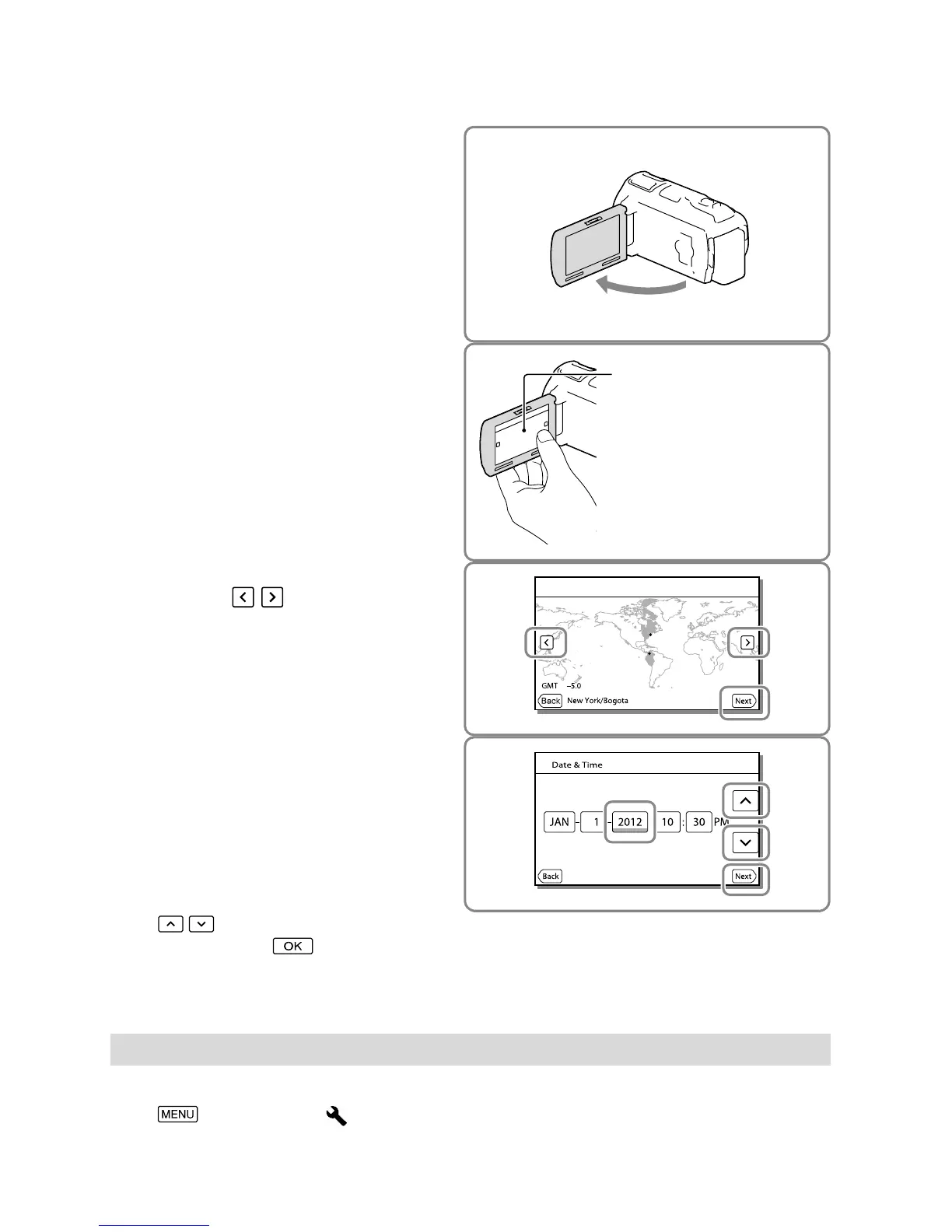
1
Open the LCD screen of your
camcorder and turn the power
on.
You can also turn on the camcorder by
pressing POWER (p. 14).
2
Select the desired language, then
select [Next].
3
Select the desired geographical
area with
/ , then select
[Next].
4
Set [Daylight Savings] or [Summer
Time], select the date format and
the date and time.
If you set [Daylight Savings] or [Summer
Time] to [On], the clock advances 1 hour.
When you select the date and time, select
one of the items and adjust the value with
/ .
When you select
, the date and time
setting operation is complete.
Changing the language setting
You can change the on-screen displays to show messages in a specified language.
Select [Setup] [ General Settings] [Language Setting] a desired language.
Touch the button on the
LCD screen.



 To Next Page