33
US
Recording/Playback
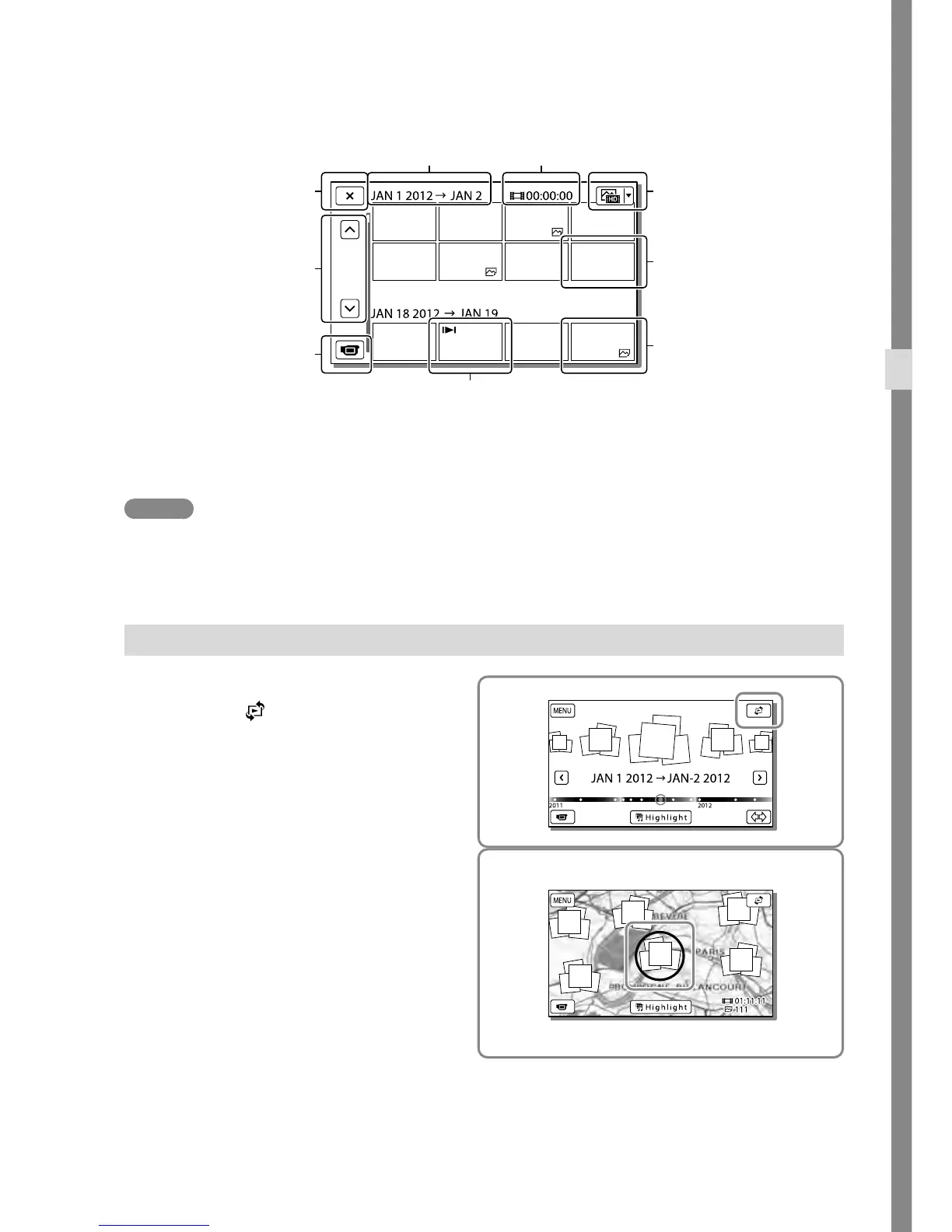
Reduced-size images which enable you to view many images at the same time on an index screen are
called “thumbnails.”
Notes
To prevent your image data from being lost, save all your recorded images on external media periodically.
(p
.
61)
In the default setting, a protected demonstration movie is pre-recorded.
Playing movies and photos from a map (HDR-CX760V/PJ710V/PJ760V)
1
Switch to the Map View by
touching
[Map View].
2
Select the recording location.
Touch the direction on the map in which
you want the map to be scrolled. Keep
touching that point to scroll the map
continuously.
If you change the map scale using
the power zoom lever, the clusters of
thumbnails will change as well.
To go back to the Event
View screen
Previous/next
Change to the movie/
photo recording mode
Switch Image Type button
Movie
Photo
Last played image
Event name Recorded time/number of photos



 To Next Page