EasyManua.ls Logo

Sony HT-CT100 - Speaker Level and Amplifier Menu Configuration; Adjusting Speaker Levels and Menu Settings

Sony HT-CT100
46 pages
Print Icon
To Next Page IconTo Next Page
To Previous Page IconTo Previous Page
Loading...
Using
the
AMP
menu
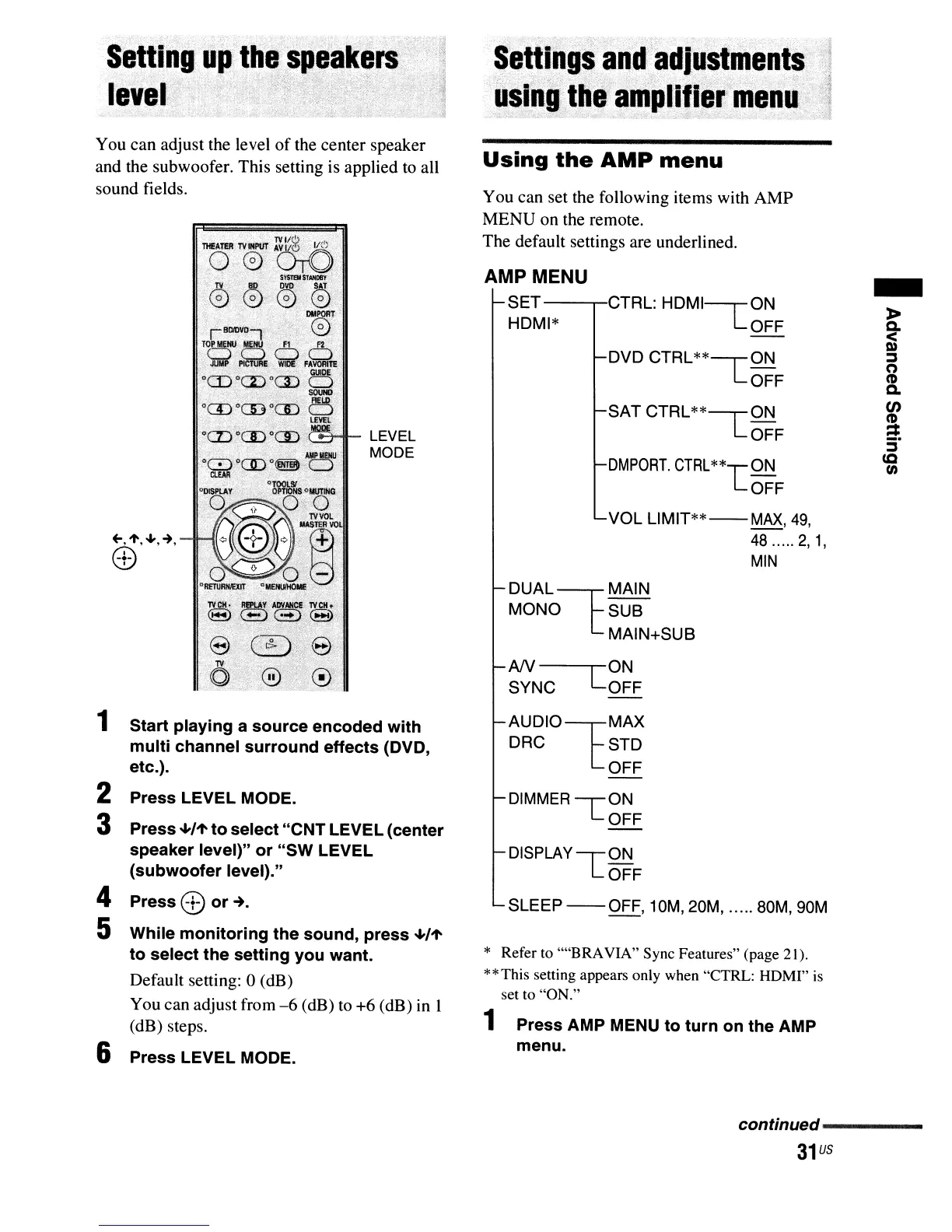
You can adjust the level
of
the center speaker
and the subwoofer. This setting is applied to all
sound fields.
LEVEL
MODE
1
Start
playing
a
source
encoded
with
multi
channel
surround
effects
(DVD,
etc.).
2 Press LEVEL MODE.
3 Press
"'/'t
to
select
"CNT
LEVEL (center
speaker
level)"
or
"SW
LEVEL
(subwoofer
level)."
4 Press
CD
or
-+.
5 While
monitoring
the
sound,
press
"'/'t
to
select
the
setting
you
want.
Default setting: 0 (dB)
You can adjust from
-6
(dB)
to
+6 (dB) in 1
(dB) steps.
6 Press LEVEL MODE.
You can set the following items with AMP
MENU on the remote.
The default settings are underlined.
AMP MENU
SET---,,-CTRL:
HDMI---r0N
HDMI*
LOFF
DVD CTRL
**--r
ON
LOFF
SATCTRL**~ON
LOFF
DMPORT.
CTRL**TON
LOFF
VOL L1MIT**
--
MAX,
49,
48
..... 2,1,
MIN
DUAL~MAIN
MONO SUB
MAIN+SUB
AN--C
ON
SYNC OFF
AUDIOtMAX
DRC STD
OFF
DIMMER-rON
LOFF
DISPLAY
-r
ON
LOFF
SLEEP
--
OFF,
10M, 20M, ..... 80M, 90M
* Refer to ""BRAVIA" Sync Features" (page 21).
**This setting appears only when "CTRL: HDMI"
is
set to "ON."
1 Press AMP MENU
to
turn
on
the
AMP
menu.
-
»
~
~
(")
CD
Q.
en
CD
==
ec
(I)
continued-----
31
us