HT-CT770
22
2-5. Serial Flash Version Display Mode
It can display the SF (serial fl ash) version.
Procedure:
1. Enter the test menu.
(Refer to “Setting method of the test mode menu” on page 20)
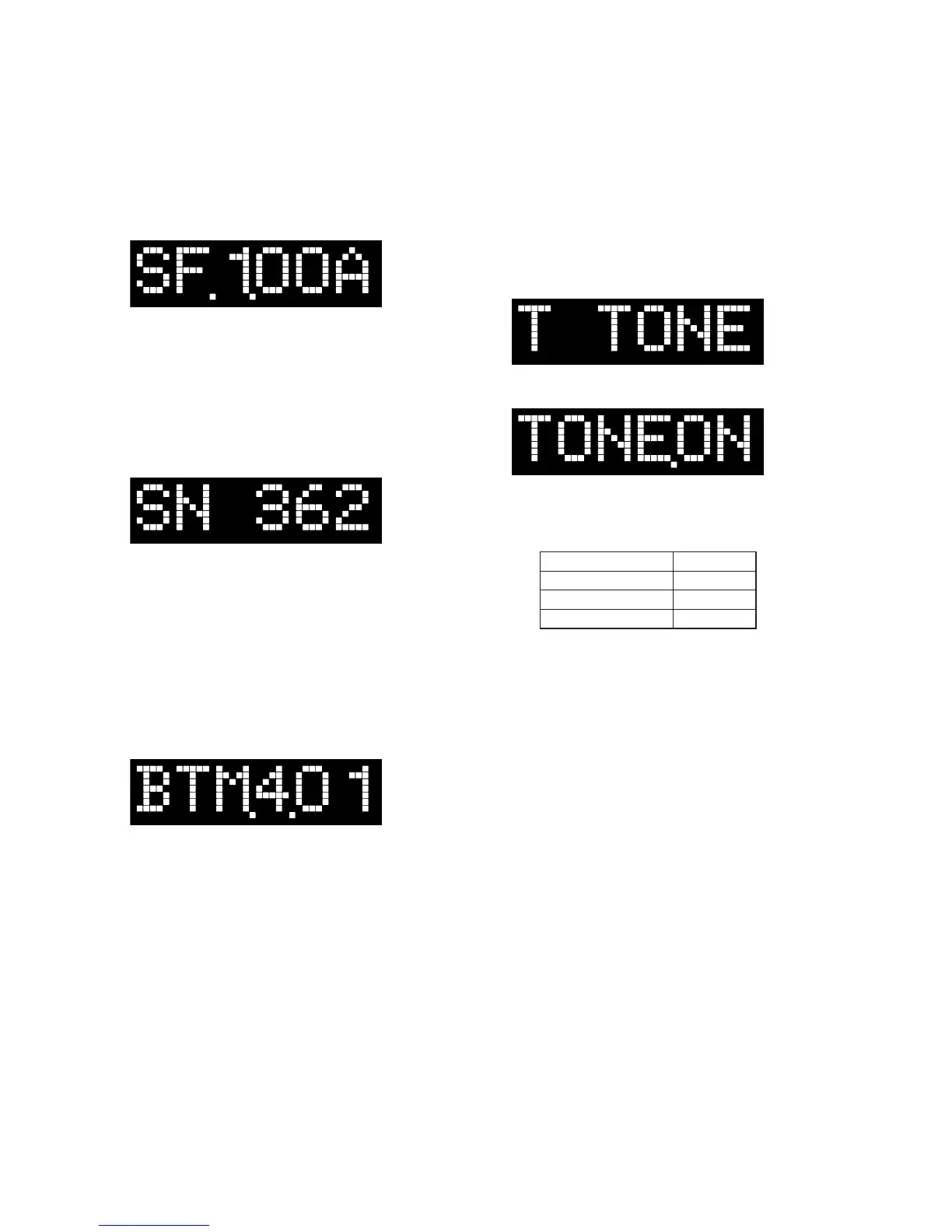
2. Press the [VOL +]/[VOL –] buttons to select the “SF.X.XXX”
(X.XXX: SF (serial fl ash) version).
(Displayed values in the above fi gure are example)
2-6. DSP Sound Number Display Mode
It can display the SN (DSP sound number) number.
Procedure:
1. Enter the test menu.
(Refer to “Setting method of the test mode menu” on page 20)
2. Press the [VOL +]/[VOL –] buttons to select the “SN XXX”
(XXX: DSP sound number (000 to 998)).
(Displayed values in the above fi gure are example)
Note: “SN ---” is displayed when the information of serial fl ash is not able
to be acquired.
2-7. BT Module F/W Version Display Mode
It can display the BT (Bluetooth) module fi rmware varsion.
Procedure:
1. Enter the test menu.
(Refer to “Setting method of the test mode menu” on page 20)
2. Press the [VOL +]/[VOL –] buttons to select the “BTM.X.XX”
(X.XX: BT (Bluetooth) module fi rmware version).
(Displayed values in the above fi gure are example)
2-8. AMP Test Mode
(It is displayed “AMP” on the fl uorescent indicator tube)
Not used for the servicing.
Press the [
?/1
] button if having entered this mode.
2-9. Tone Test Mode
It can confi rm the test tone output from each speaker.
Preparation:
Connect the Bar Speaker (SA-CT770) and the Subwoofer (SA-
WCT770) by wireless.
Procedure:
1. Enter the test mode menu.
(Refer to “Setting method of the test mode menu” on page 20)
2. Press the [VOL +]/[VOL –] buttons to select the “T TONE”,
press the [INPUT] button.
3. The message “TONE.ON” is displayed on the fl uorescent indi-
cator tube momentarily and enter the tone test mode.
4. The output speaker is displayed on the fl uorescent indicator
tube. At the same time, test tone is output from speaker.
(The output speaker repeatedly changes automatically in fol-
lowing order)
Output speaker Display
Front L-ch
FL
Front R-ch
FR
Subwoofer
SW
Releasing method:
Press the [
?/1
] button to release the test mode menu.
2-10. Speaker Test Mode
(It is displayed “SPK.TST” on the fl uorescent indicator tube)
Not used for the servicing.
Press the [
?/1
] button if having entered this mode.
2-11. VACS Display Mode
(It is displayed “V. DISP” on the fl uorescent indicator tube)
Not used for the servicing.
Press the [
?/1
] button if having entered this mode.
2-12. VACS ON/OFF Mode
(It is displayed “V.ONOFF” on the fl uorescent indicator tube)
Not used for the servicing.
Press the [
?/1
] button if having entered this mode.
2-13. DSP Halt Mode
(It is displayed “DSP.HLT” on the fl uorescent indicator tube)
Not used for the servicing.
Press the [
?/1
] button if having entered this mode.
2-14. DSP Serial Flash Update Mode
(It is displayed “SF UPD” on the fl uorescent indicator tube)
Not used for the servicing.
Press the [
?/1
] button if having entered this mode.
2-15. User Update Mode
(It is displayed “UPDATE” on the fl uorescent indicator tube)
Not used for the servicing.
Press the [
?/1
] button if having entered this mode.



 To Next Page