17
GB
Listening to the TV
1 Press HOME.
The home menu appears on the TV
screen.
2 Select [TV] on the home menu.
3 Select the program using the TV’s
remote control.
The selected TV program appears
on the TV screen and the TV sound
is output from the system.
4 Adjust the volume.
• Adjust the volume by pressing
+/– on the remote control.
• Adjust the subwoofer volume by
pressing SW +/– on the remote
control (page 21).
Tip
You can select [TV] by pressing INPUT +/–
on the remote control.
Listening to Music on a
USB Device
You can play music/photo files stored
on a connected USB device.
For playable types of files, see “Playable
Types of Files” (page 56).
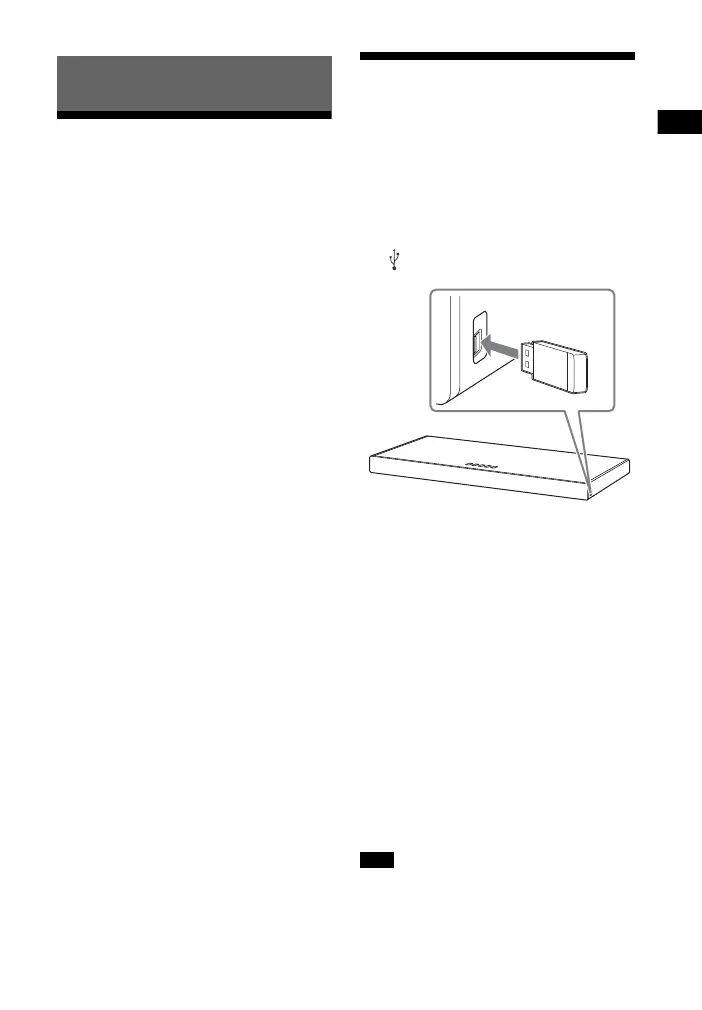
1 Connect the USB device to the
(USB) port.
2 Press HOME.
The home menu appears on the TV
screen.
3 Select [USB (Connected)] from
the home menu.
4 Select [Music] - folder on which
songs are stored - song.
The selected song is played and
sound is output from the system.
5 Adjust the volume.
• Adjust the volume by pressing
+/– on the remote control.
• Adjust the subwoofer volume by
pressing SW +/– on the remote
control (page 21).
Do not remove the USB device during
operation. To avoid data corruption or
damage to the USB device, turn the system
Listening to the Sound
Note



 To Next Page