40
GB
Using the Setup Display
You can make various adjustments to items such as picture and sound.
The default settings are underlined.
1 Press HOME.
The home menu appears on the TV screen.
2 Select [Setup] from the home menu.
The setup display appears on the TV screen.
3 Select the setting item.
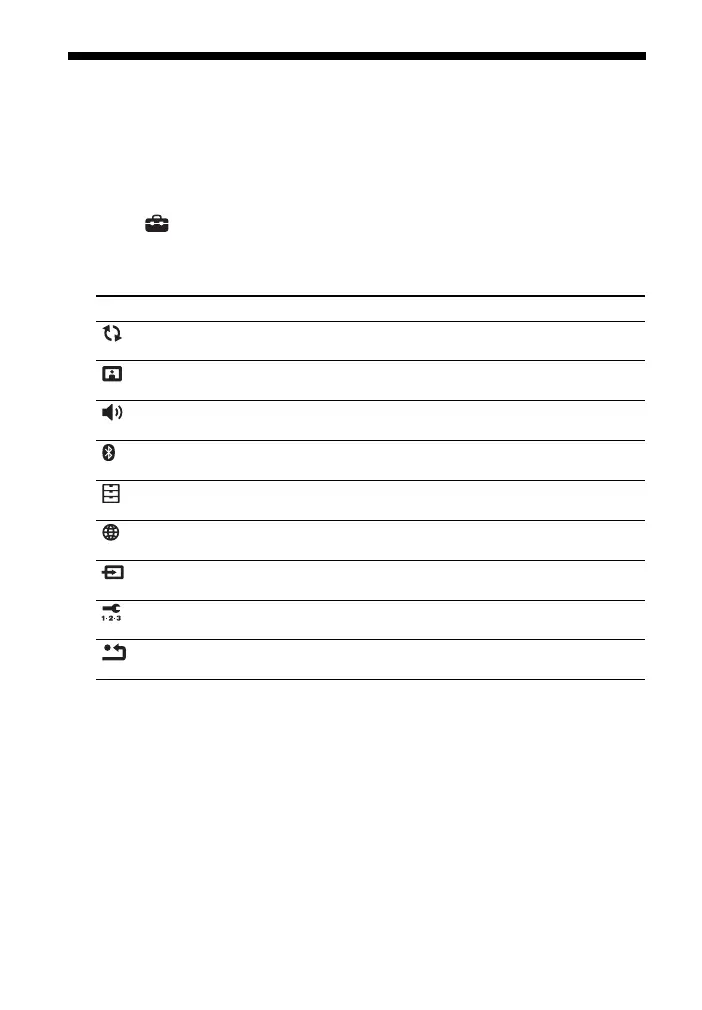
Setting item Explanation
[Software Update] Updates the software of the system. (page 41)
[Screen Settings] Makes the screen settings according to the type of TV. (page 41)
[Audio Settings] Makes the audio settings according to the type of connection
jacks. (page 42)
[Bluetooth
Settings]
Makes detailed settings for the BLUETOOTH function. (page 42)
[System Settings] Makes the system-related settings. (page 43)
[Network Settings] Makes detailed settings for the Internet and home network.
(page 44)
[Input Skip
Setting]
Sets the input skip setting for each input. (page 45)
[Easy Setup] Re-runs the Easy Setup to make the basic settings. (page 45)
[Resetting] Resets the system to the factory default settings. (page 45)



 To Next Page