Touch / to select the recording
date of the desired movies/photos, then
touch
.
Touch the image on the LCD screen to
confirm the image. Touch
to return
to the previous screen.
Touch [YES] .
Protecting recorded
movies and photos
(Protect)
Protect movies and photos to avoid deleting
them by mistake.
Tips
You can protect movies and photos on the
playback screen from
OPTION MENU.
1
Touch (MENU) [Show
others] [PROTECT] (under
[EDIT] category).
2
To protect movies, touch
[
PROTECT] [ PROTECT]/
[ PROTECT].
To protect photos, touch [ PROTECT]
[
PROTECT].
3
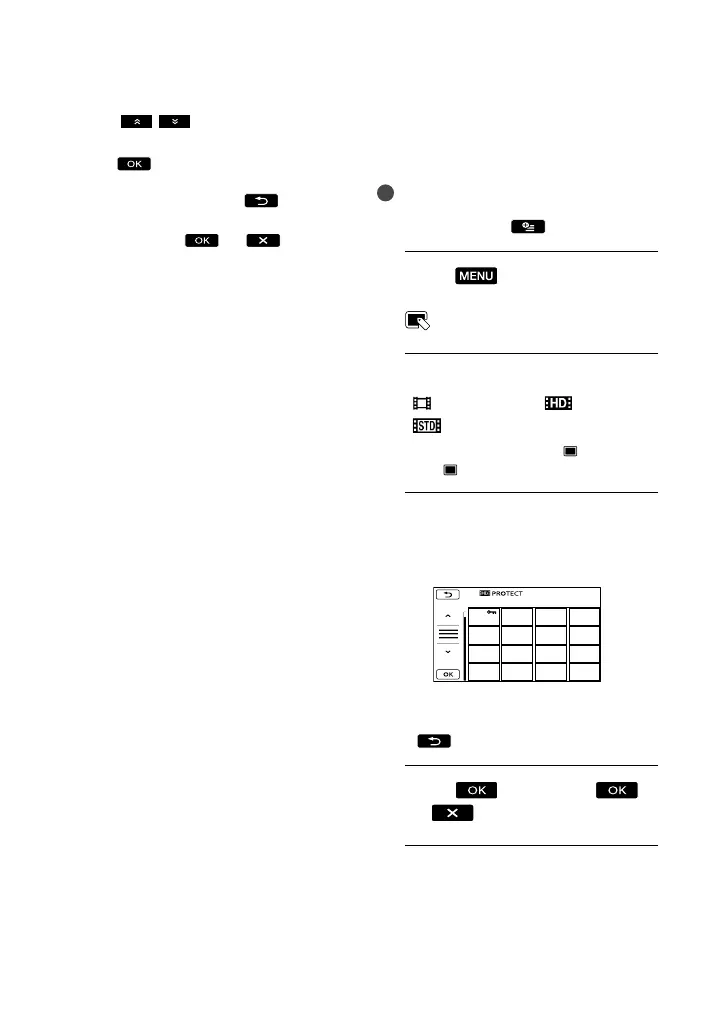
Touch the movies and photos to
be protected.
is displayed on the selected images.
Press and hold the image down on the
LCD screen to confirm the image. Touch
to return to the previous screen.
4
Touch [YES]
.



 To Next Page