87
Customizing your camcorder
GB
PLAYBACK
(Items for playback)
See “Using menus” (p. 73) on the operation.
VISUAL INDEX
See page 33.
VIEW IMAGES
DATE INDEX
See page 36.
FILM ROLL
See page 36.
FACE
See page 36.
PLAYLIST
See page 52.
HIGHLIGHT
See page 37.
SCENARIO
See page 38.
PLAYBACK SET
/ SET
See page 28.
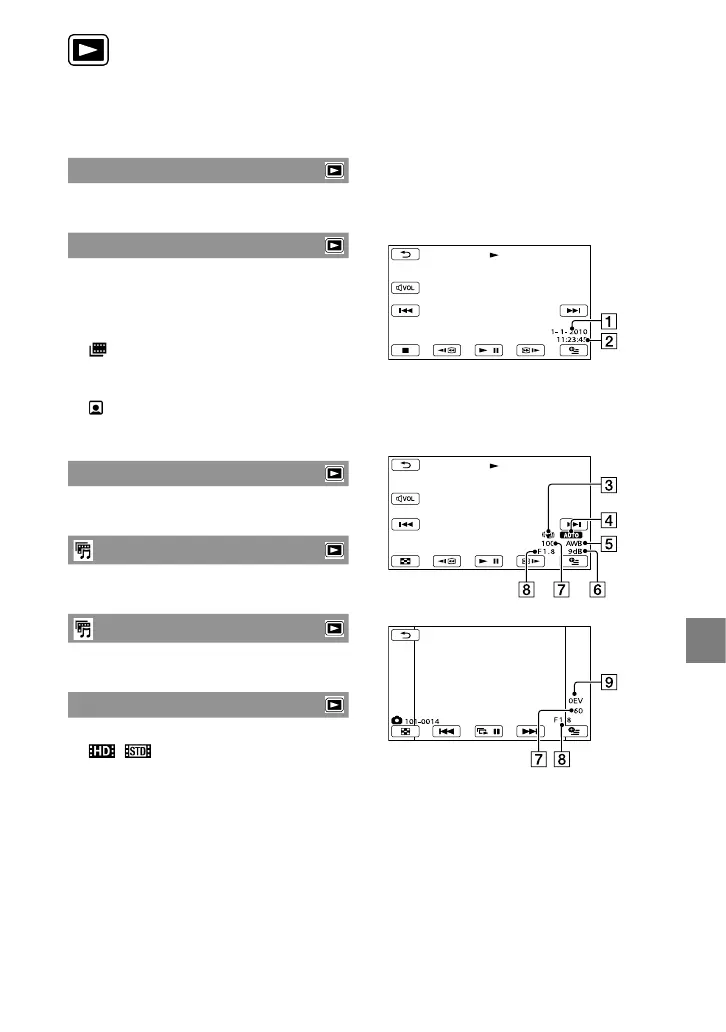
DATA CODE
During playback, your camcorder displays
the information (Date/time, Camera data)
recorded automatically at the time of
recording.
OFF
Data code is not displayed.
DATE/TIME
Displays the date and time.
CAMERA DATA
Displays camera setting data.
DATE/TIME
Date
Time
CAMERA DATA
SteadyShot off
Brightness
White balance
Gain
Shutter speed
Aperture value
Exposure
Movie
Photo


 To Next Page