18
GB
Playing Back the Specified Section
Repeatedly — A-B Repeat
While playing back a message, you can set the start (A) and end (B) points
for a section you wish to play repeatedly.
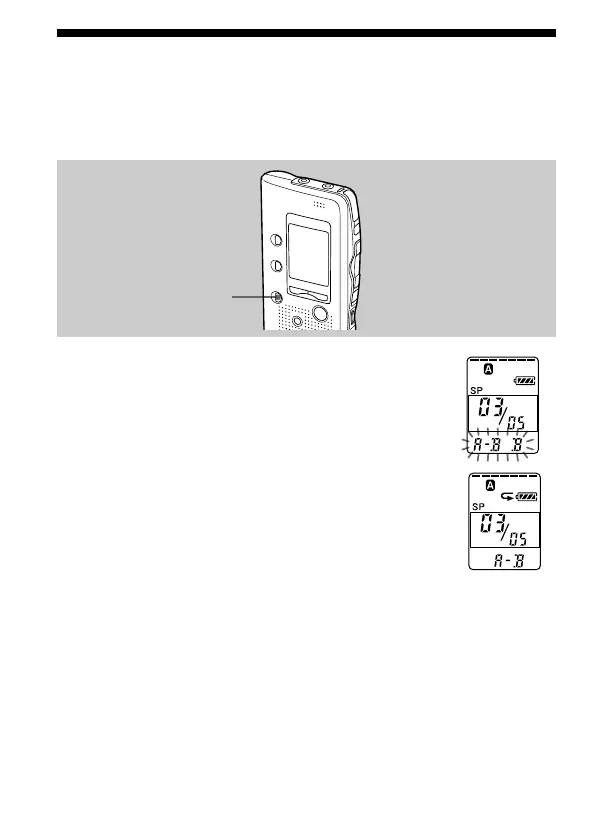
1 During playback, press A-B REPEAT briefly.
The starting point (A) of the section you wish to play
repeatedly is set. “A-B B” flashes.
2 During playback, press A-B REPEAT briefly.
The finishing point (B) of the section is set.
“A-B” is displayed and the specified section is played
back repeatedly.
To resume normal playback
Press NxPLAY/STOP.
To stop A-B Repeat playback
Press xSTOP.
Notes
• You cannot set A-B Repeat for a section that overlaps two or more messages.
• If you do not set the finishing point (B), the finishing point is automatically set
at the end (or the beginning) of the message.
A-B REPEAT



 To Next Page