Other Functions
27
GB
BOther Functions
Starting Recording at a Desired Time
— Timer Recording
You can start recording at a desired time.
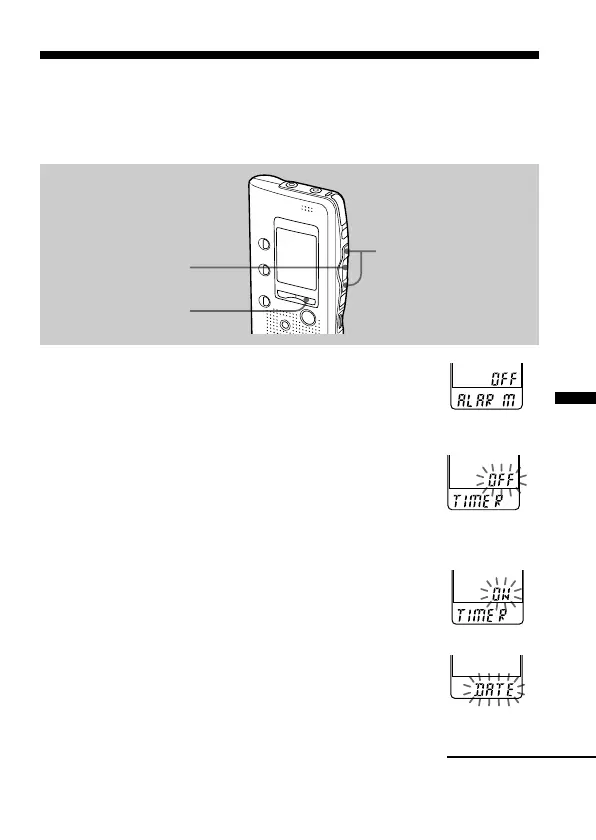
1 Display the timer setting display.
1 Press MENU.
The unit enters the menu mode and
“ALARM” will be displayed.
2 Press . or > repeatedly to display “TIMER”
and press NxPLAY/STOP.
“OFF” starts to flash.
Note
The timer cannot be set if the clock has not been set .
3 Press . or > to flash “ON”.
4 Press NxPLAY/STOP.
“START” is displayed for one second, and then
“DATE” will flash in the display window.
MENU
NxPLAY/STOP
./>
Continued



 To Next Page