6
GB
BGetting Started
Step 1: Installing the Batteries
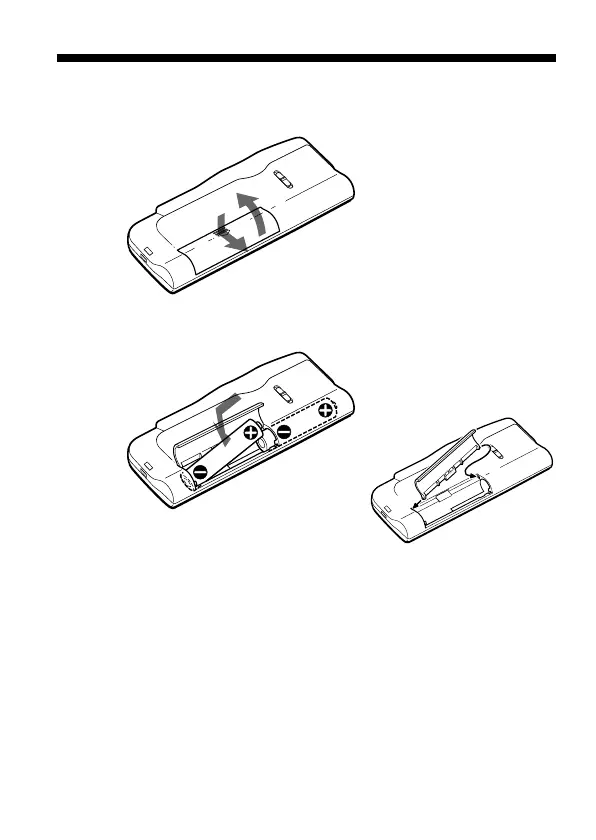
1 Slide and lift the battery compartment lid.
2 Insert two LR03 (size AAA) alkaline batteries with correct
polarity, and close the lid.
If the battery compartment lid is
accidentally detached, attach it
as illustrated.
Clock setting display appears when you insert batteries for the first time,
or when you insert batteries after the unit has been without batteries for a
certain period of time. Please refer to Steps 2 to 4 in “Step 2: Setting the
Clock” on pages 8 and 9 to set the date and time.
2
1
2
1
2



 To Next Page