ICD-P620 GB 3-295-268-11 (2)
21
GB
Various Recording Modes
2 While “ADD” or “OVER” ashes,
press REC again.
The operation indicator will light in
red. An add or overwrite recording
starts.
3 Press
(stop) to stop the recording.
Notes
You cannot add or overwrite a recording if
the remaining memory is not long enough.
The added or overwritten portion of a
message will be recorded in the same
recording mode (HQ, SP, or LP).
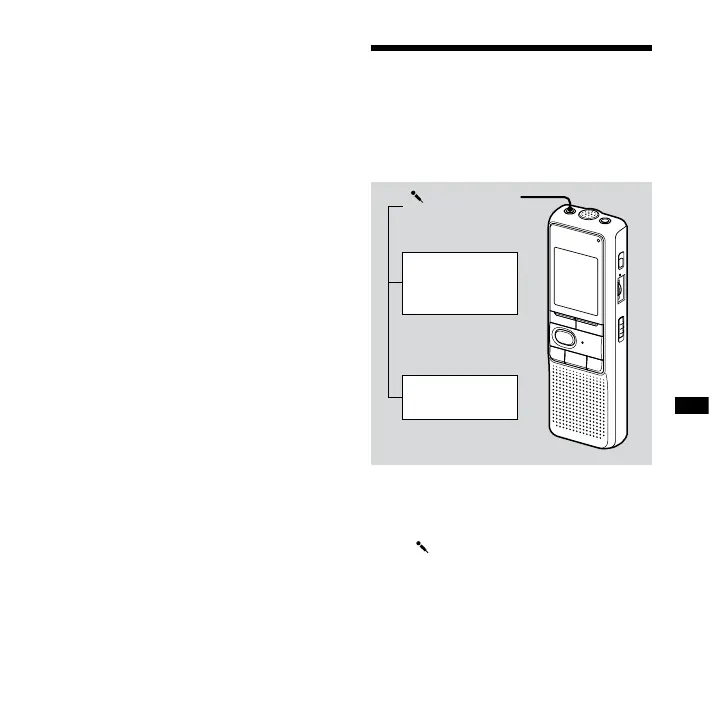
Recording with an
External Microphone
or from Other
Equipment
(microphone)
jack
External
microphone
(not supplied)
Tape recorder,
TV, radio, etc.
1 Connect a plug-in-power type
microphone or other equipment to
the (microphone) jack.


 To Next Page