EasyManua.ls Logo

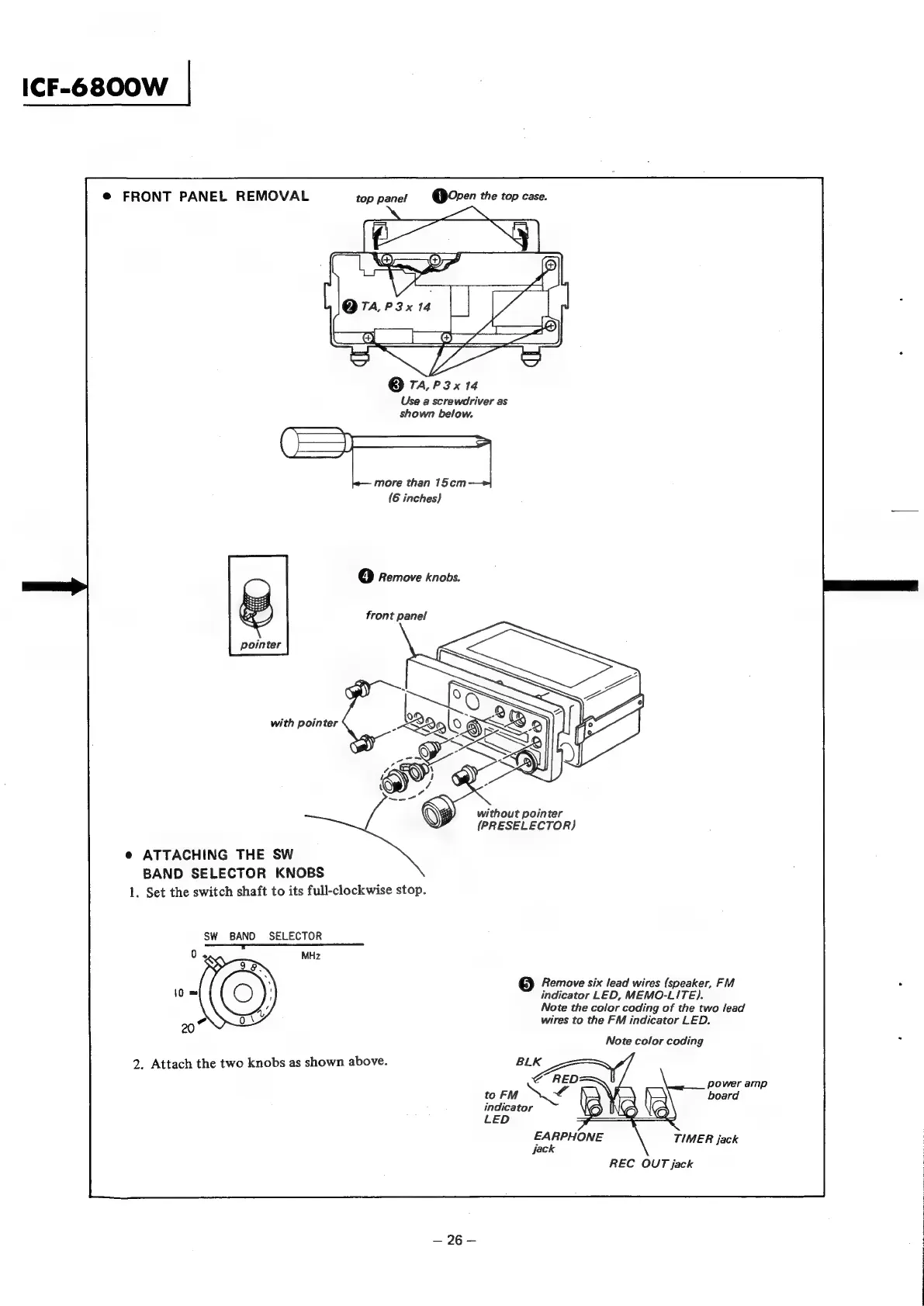
Sony ICF-6800W - Front Panel Removal; Attaching SW Band Selector Knobs

Sony ICF-6800W
60 pages
Print Icon
To Next Page IconTo Next Page
To Previous Page IconTo Previous Page
Loading...
ICF-68O00OW
|
@
FRONT
PANEL
REMOVAL
top
panel
Q
Oven
the
top
case.
@
TA,
P3x
14
Use
a
screwdriver
as
shown
below.
more
than
15cm
(6
inches)
4)
Remove
knobs.
front
panel
pointer
with
pointer
without
pointer
(PRESELECTOR)
e
ATTACHING
THE
SW
BAND
SELECTOR
KNOBS
1.
Set
the
switch
shaft
to
its
full-clockwise
stop.
SW
BAND
SELECTOR
——S—
5)
Remove
six
lead
wires
(speaker,
FM
indicator
LED,
MEMO-LITE).
Note
the
color
coding
of
the
two
lead
wires
to
the
FM
indicator
LED.
Note
color
coding
2.
Attach
the
two
knobs
as
shown
above.
indicator
LED
EARPHONE
TIMER
jack
jack
REC
OUT
jack
—26—

Other manuals for Sony ICF-6800W

Related product manuals