EasyManua.ls Logo

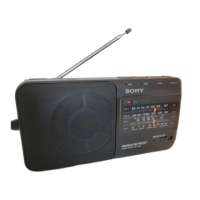
Sony ICF-990L - Section 1 General; Location of Controls; Power Sources; Radio Operation Guide

Sony ICF-990L
18 pages
Print Icon
To Next Page IconTo Next Page
To Previous Page IconTo Previous Page
Loading...
ICF-880L
SECTION
1
GENERAL
This
section
is
extracted
from
instraction
manual.
ARPaeimeomeeniiin
ts
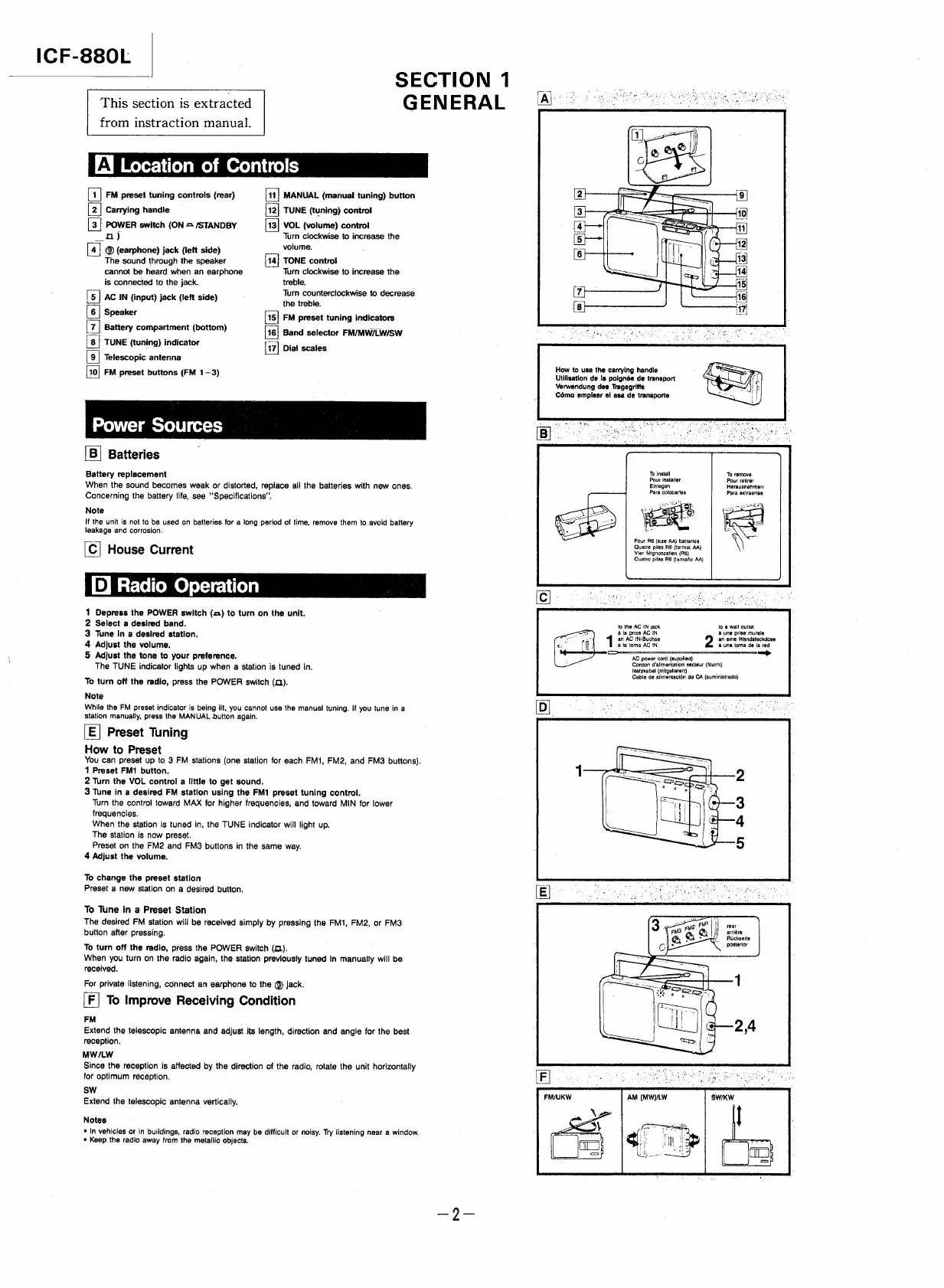
[11]
MANUAL
(manual
tuning)
button
[4]
FM
preset
tuning
controls
(rear)
[2]
Carrying
handle
[12]
TUNE
(tuning)
control
[3]
POWER
switch
(ON
=
/STANDBY
[13]
VOL
(volume)
contro!
oa)
Turn
clockwise
to
increase
the
[4]
@
(earphone)
jack
(left
side)
volume.
The
sound
through
the
speaker
TONE
control
cannot
be
heard
when
an
earphone
Turn
clockwise
to
increase
the
is
connected
to
the
jack.
treble.
[5]
AC
IN
(input)
jack
(left
side)
Turn
counterclockwise
to
decrease
the
treble.
Speaker
[15]
FM
preset
tuning
indicators
Battery
compartment
(bottom)
[16]
Band
selector
FM/MW/LW/SW
|
6
|
Zs
8
|
TUNE
(tuning)
indicator
.
'
17}
Dial
scales
9
0
Telescopic
antenna
FM
preset
buttons
(FM
1-3)
it
Power
Sources
[B]
Batteries
Battery
replacement
When
the
sound
becomes
weak
or
distorted,
replace
all
the
batteries
with
new
ones.
Concerning
the
battery
life,
see
'Specifications”.
Note
If
the
unit
is
not
to
be
used
on
batteries
for
a
long
period
of
time,
remove
them
to
avoid
battery
leakage
and
corrosion.
[C]
House
Current
[®]
Radio
Operation
|
1
Depress
the
POWER
switch
(<)
to
turn
on
the
unit.
2
Select
a
desired
band.
3
Tune
in
a
desired
station.
4
Adjust
the
volume.
5
Adjust
the
tone
to
your
preference,
The
TUNE
indicator
lights
up
when
a
station
is
tuned
in.
To
turn
off
the
radio,
press
the
POWER
switch
(a).
Note
While
the
FM
preset
indicator
is
being
lit,
you
cannot
use
the
manual
tuning.
!f
you
tune
in
a
Station
manually,
press
the
MANUAL
button
again.
[E]
Preset
Tuning
How
to
Preset
You
can
preset
up
to
3
FM
stations
(one
station
for
each.
FMi,
FM2,
and
FM@
buttons).
1
Preset
FM1
button.
2
Turn
the
VOL
contro!
a
little
to
get
sound.
3
Tune
in
a
desired
FM
station
using
the
FM1
preset
tuning
control.
Turn
the
control
toward
MAX
for
higher
frequencies,
and
toward
MIN
for
lower
frequencies.
When
the
station
is
tuned
in,
the
TUNE
indicator
will
light
up.
The
station
is
now
preset.
Preset
on
the
FM2
and
FM3-
buttons
in
the
same
way.
4
Adjust
the
volume.
To
change
the
preset
station
Preset
a
new
station
on
a
desired
button.
To
Tune
in
a
Preset
Station
The
desired
FM
station
will
be
received
simply
by
pressing
the
FM1,
FM2,
or
FM3
button
after
pressing.
To
turn
off
the
radio,
press
the
POWER
switch
(1).
When
you
turn
on
the
radio
again,
the
station
previously
tuned
in
manually
will
be
received.
For
private
listening,
connect
an
earphone
to
the
©
jack.
[F|
To
Improve
Receiving
Condition
FM
-
Extend
the
telescopic
antenna
and
adjust
its
length,
direction
and
angle
for
the
best
reception.
MW/LW
Since
the
reception
is
affected
by
the
direction
of
the
radio,
rotate
the
unit
horizontally
for
optimum
reception.
sw
Extend
the
telescopic
antenna
vertically.
Notes
*
In
vehicles
or
in
buildings,
radio
reception
may
be
difficult
or
noisy.
Try
listening
near
a
window.
*
Keep
the
radio
away
from
the
metallic
objects.
How
to
use
the
carrying
handle
Utilisation
de
la
paignée
de
transport
Verwendung
des
Tragegriffs
Cémo
emplear
el
asa
de
transporte
1
FM/UKW
To
install
To
remove
Pour
installer
Pour
retirer
Einiegen
Herausnehmen
Para
colocarias
Para
exiraerlas
Four
R6
(size
AA)
batteries
Quatre
piles
R6
(format
AA)
Vier
Mignonzelten
(Fi6)
Cuatro
pilas
A
(tamaio
AA}
to
the
AC
IN
jack
&
la
prise
AC
IN
an
AC
IN-Buchse
ata
toma
AC
IN
to
@
wall
outlet
a
une
prise
murale
an
eine
Wandsteckdose
a
una
toma
de
la
red
—_
AC
power
cord
(supplied)
Cordon
o'alimentation
secteur
(fourni)
Neatzkabel
(mitgelietert)
Cable
de
alimentacién
de
CA
(suministrado)
fear
arriére
/
Riickseite
posterior
AM
(MWY)LW

Related product manuals