EasyManua.ls Logo

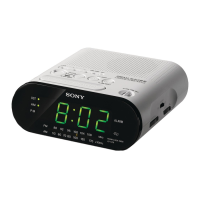
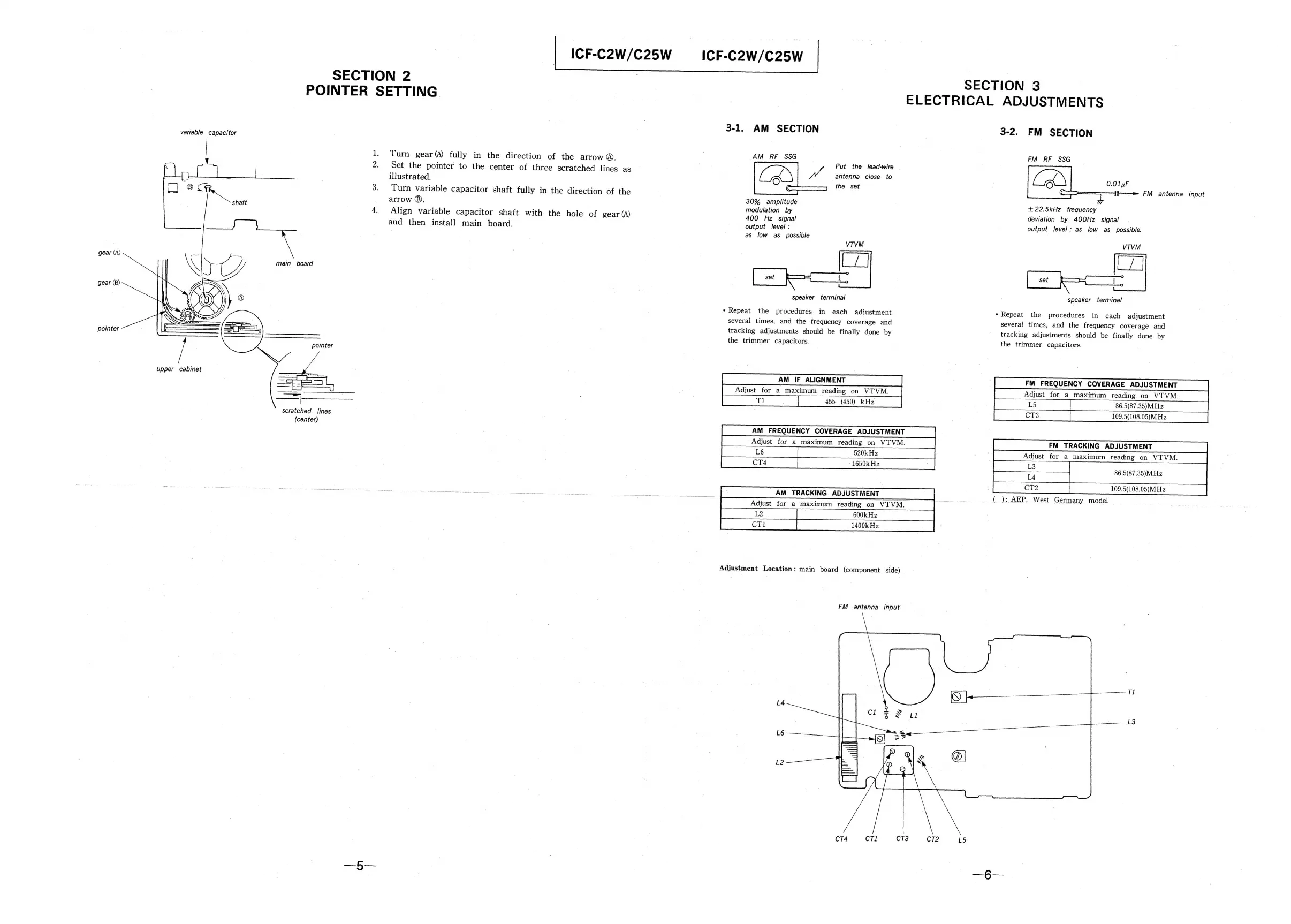
Sony ICF-C2W - Section 2 Pointer Setting; Section 3 Electrical Adjustments; AM Section Adjustments; FM Section Adjustments

Sony ICF-C2W
8 pages
Print Icon
To Next Page IconTo Next Page
To Previous Page IconTo Previous Page
Loading...
ICF-C2W/C25W
_ICF-C2W/C25W
SECTION
2
|
|
SECTION
3
POINTER
SETTING
|
|
ELECTRICAL
ADJUSTMENTS
3-1.
AM
SECTION
3-2.
FM
SECTION
variable
capacitor
| |
1.
Turn
gear(A)
fully
in
the
direction
of
the
arrow
®.
AM_RF
SSG
|
ee
;
:
:
Put
the
lead-wire
2.
Set
the
pointer
to
the
center
of
three
scratched
lines
as
;
antenna
close
to
E
illustrated.
dhe:
see
0.01u
:
:
:
.
;
C—~
b—e
F
t
3.
Turn
variable
capacitor
shaft
fully
in
the
direction
of
the
W
ane
UE
:
arrow
©),
ne
Aad
+22.5kHz
frequency
4.
Align
variable
capacitor
shaft
with
the
hole
of
gear
(A)
400
Hz
signal
deviation
by.
400Hz
signal
and
then
install
main
board.
output
level
:
:
output
level:
as
low
as
possible.
.
as
low
as
possible
VTVM
gear
(A)
main
board
set
——)
set
a
ae
speaker
terminal
speaker
terminal
*
Repeat
the
procedures
in
each
adjustment
*
Repeat
the
procedures
in
each
adjustment
several
times,
and
the
frequency
coverage
and
several
times,
and
the
frequency
coverage
and
tracking
adjustments
should
be
finally
done
by
tracking
adjustments
should
be
finally
done
by
pointer
———____.
;
the
trimmer
capacitors.
the
trimmer
capacitors.
pointer
FM
FREQUENCY
COVERAGE
ADJUSTMENT
Adjust
for
a
maximum
reading
on
VTVM.
86.5(87.35)MHz
109.5(108.05)MHz
FM
TRACKING
ADJUSTMENT
Adjust
for
a
maximum
reading
on
VTVM.
ae:
ee
86.5(87.35)MHz
3
_(
):
AEP,
West
Germany
model
upper
cabinet
Adjust
for
a
maximum
reading
on
VTVM.
455
(450)_kHz
ET
ee
a:
ae
PS)
eee
im
AM
TRACKING
ADJUSTMENT
Adjust
for
a
maximum
reading
on
VTVM.
|
co0k
He
Ok
ee
scratched
lines
(center)
109.5(108.05)MHz
Adjustment
Location:
main
board
(component
side)
FM
antenna
input
L4
€&
-
L3
L2
6
:
E
(Sas
CT4
CT1
CT3
CT2
L5

Related product manuals