(Network)
To reset the items for [Network] to the default values, select [Initialize] or [Reset Network Set.]. These items are not reset
to the default values even if you select [Camera Settings Reset].
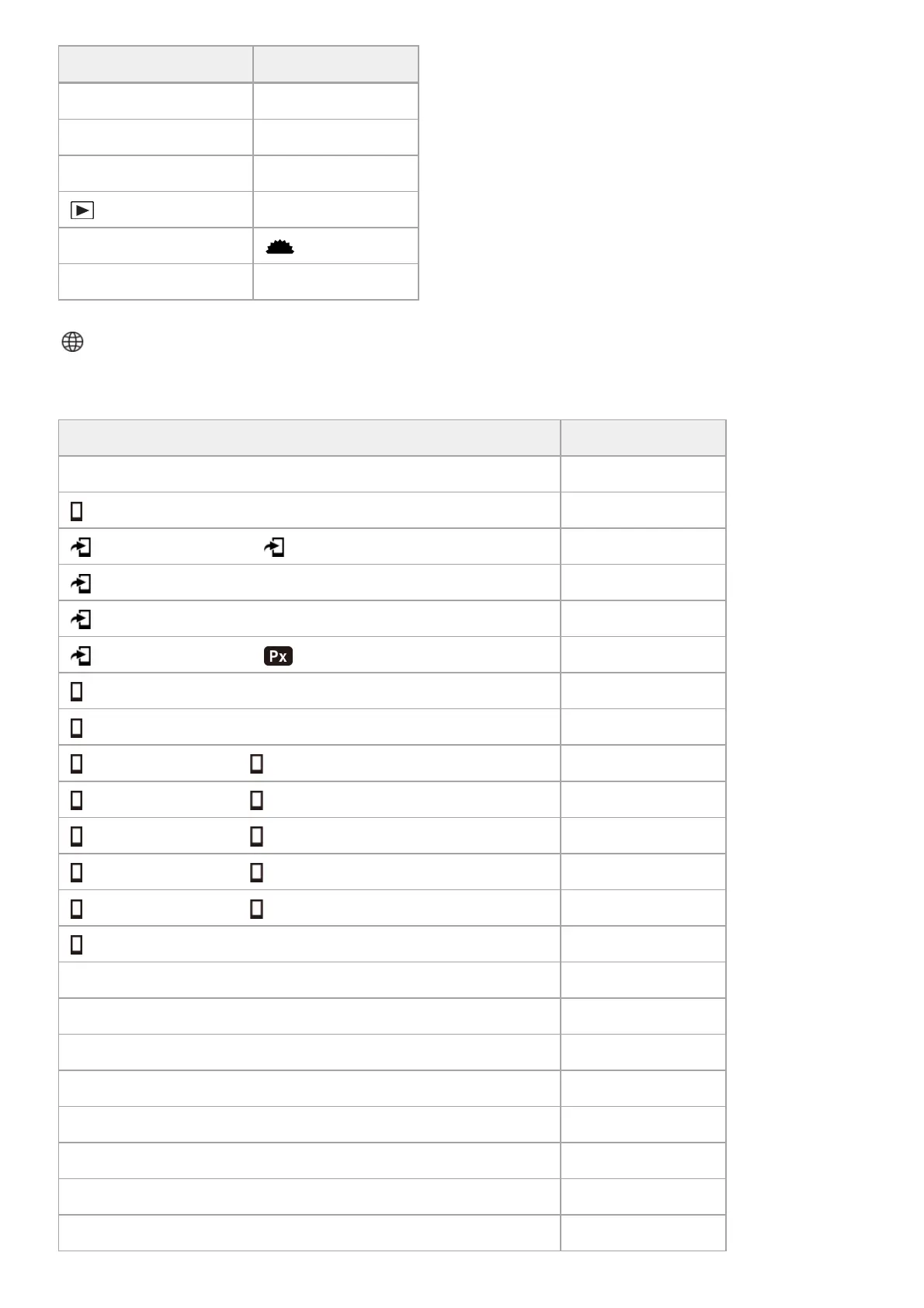
MENU items Default setting value
Image Index 9 Images
Display as Group Off
Display Rotation Auto
Focus Frame Display Off
Select Image Jump Dial
Front dial
Image Jump Method One by one
MENU items Default setting value
Smartphone Connection On
Connection ―
Select on Cam & Send ( Send) ―
Select on Cam & Send (Size of Sending Image) 2M
Select on Cam & Send (RAW+J/H Send Target) JPEG & HEIF
Select on Cam & Send ( Sending Target) Proxy Only
Cnct. while Power OFF Off
Remote Shoot Setting (Still Img. Save Dest.) Smartphone+Cam.
Remote Shoot Setting ( Save Image Size) 2M
Remote Shoot Setting ( RAW+J Save Image) JPEG Only
Remote Shoot Setting ( RAW+H Save Image) HEIF Only
Remote Shoot Setting ( Save JPEG Size) Large Size
Remote Shoot Setting ( Save HEIF Size) Large Size
Always Connected Off
FTP Transfer Func. (FTP Function) Off
FTP Transfer Func. (FTP Connect Method) Wired LAN
FTP Transfer Func. (Tethering Connection) ―
FTP Transfer Func. (Tethering Disconnection) ―
FTP Transfer Func. ( Server Setting) Server 1
FTP Transfer Func. (Save/Load FTP Settings) ―
FTP Transfer Func. (when [FTP Transfer] is set to [Target Group]) This Date
FTP Transfer Func. (when [FTP Transfer] is set to [Still Images/Movies]) All


 To Next Page