GB
14
Preparing the camera
4
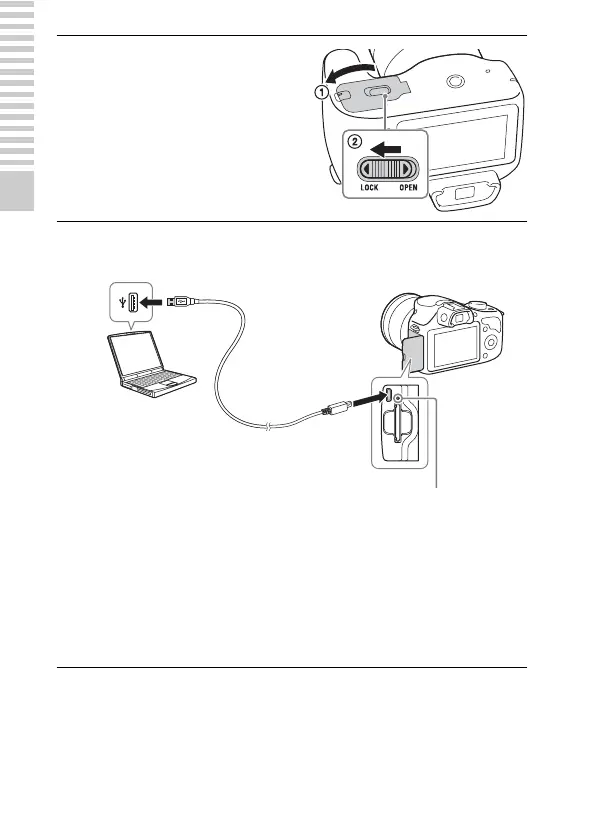
Close the cover.
5
Connect the camera to a computer, using the micro USB
cable (supplied).
Charge lamp
Lit: Charging
Off: Charging finished
Flashing: Charging error
or charging temporarily
stopped because the
temperature is outside the
recommended range.
The charge lamp lights orange, and
charging starts.
• Set the power switch to OFF while
charging the battery. If the power
switch is set to ON, the camera
cannot charge the battery.
• When the charge lamp flashes,
remove and re-insert the battery
pack.



 To Next Page