GB
25
Mastering the basic operation
Mastering the basic operation
Shooting still images
In (Intelligent Auto) mode, the camera analyzes the subject, and allows
you to shoot with appropriate settings.
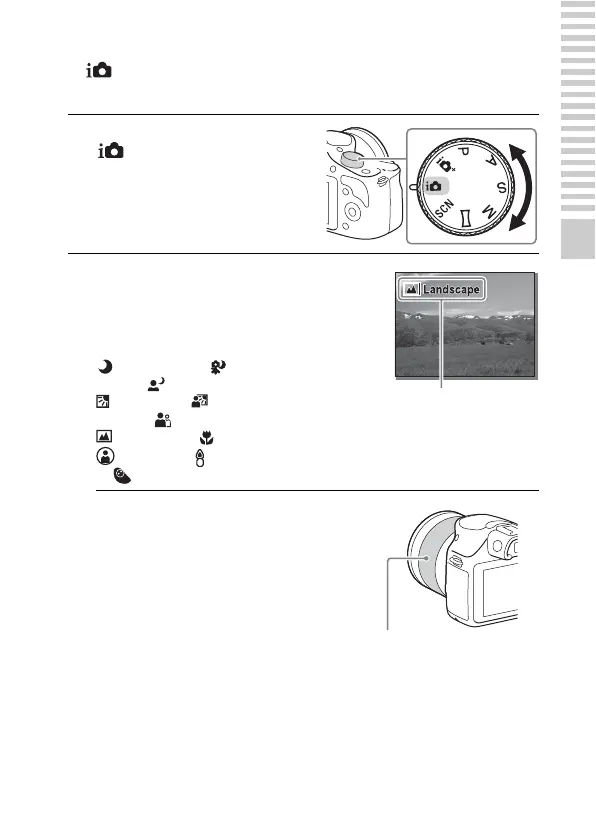
1
Set the mode dial to
(Intelligent Auto).
2
Point the camera to the
subject.
When the camera recognizes the
scene, the Scene Recognition icon
and guide appear on the LCD screen:
(Night Scene), (Tripod Night
Scene), (Night Portrait),
(Backlight), (Backlight
Portrait), (Portrait),
(Landscape), (Macro),
(Spotlight), (Low Brightness),
or (Baby).
Scene Recognition icon
and guide
3
When you use a zoom lens,
adjust the zoom scale by
rotating the zooming ring.
• Optical zooming is not available
with a fixed focus lens.
Zooming ring



 To Next Page