GB
42
Shooting with various shooting modes
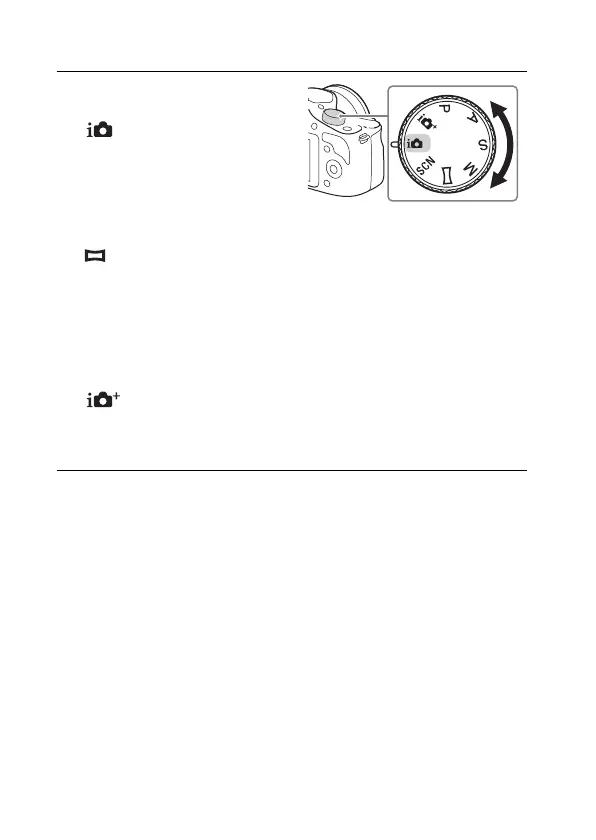
1
Select the shooting mode
by turning the mode dial.
(Intelligent Auto):
The camera evaluates the subject
and makes the proper settings.
SCN (Scene Selection):
Shoots with preset settings
according to the subject or
condition.
(Sweep Panorama): Shoots with panoramic size.
M (Manual Exposure): Adjusts the aperture and shutter speed.
S (Shutter Priority): Adjusts the shutter speed to express the movement
of the subject.
A (Aperture Priority): Shoots by adjusting aperture and changing the
range in focus, or defocuses the background.
P (Program Auto): Automatic shooting that allows you to customize
settings, except for the exposure (shutter speed and aperture).
(Superior Auto): Shoots images with a wider range of shooting
functions than those of [Intelligent Auto] shooting. Recognizes and
evaluates the shooting conditions automatically, performs [Auto HDR],
and chooses the best image.



 To Next Page