Attaching a lens
GB
54
Notes
• When attaching a lens, do not press the lens release button.
• Do not use force when attaching a lens.
• The Mount Adaptor (sold separately) is required to use an A-mount lens (sold
separately). To use the Mount Adaptor, refer to the operating manual supplied with
the Mount Adaptor.
• When you want to shoot full-frame images, use a lens designed for a full-frame
camera.
• When carrying the camera with a lens attached, hold both the camera and the lens
firmly.
• Do not hold the part of the lens that is extended for the zoom or focus adjustment.
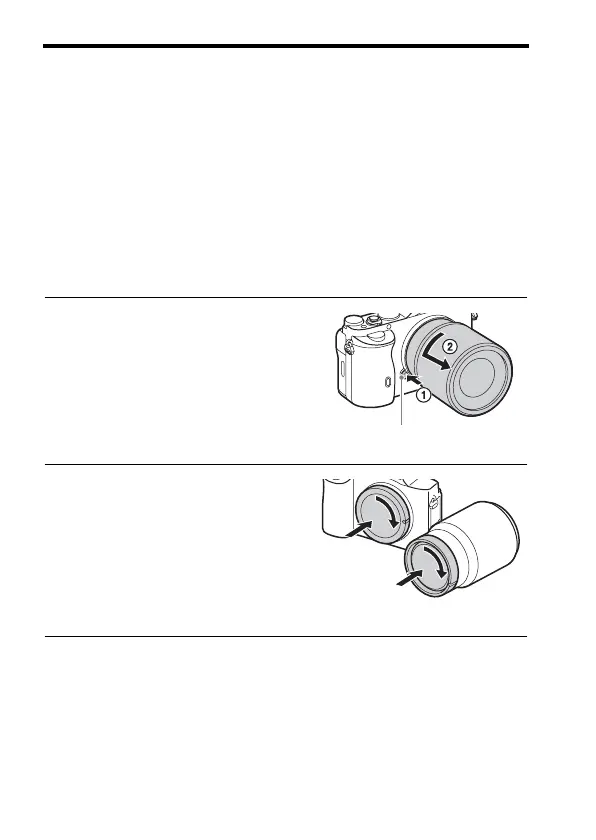
To remove the lens
1 Press the lens release button all the
way in and turn the lens
counterclockwise until it stops.
2 Attach the caps to the front and
rear of the lens and the body cap
to the camera.
• Before you attach them, remove any
dust from them.
Lens release button



 To Next Page