Note
You cannot shoot or play back images while the supplied AC adaptor is connected to the
camera. If you want to shoot or play back images with power supplied from a wall outlet
(wall socket), use the AC-PW20 AC Adaptor (sold separately).
[17] How to Use
Preparing the camera Charging the battery pack
Removing the battery pack
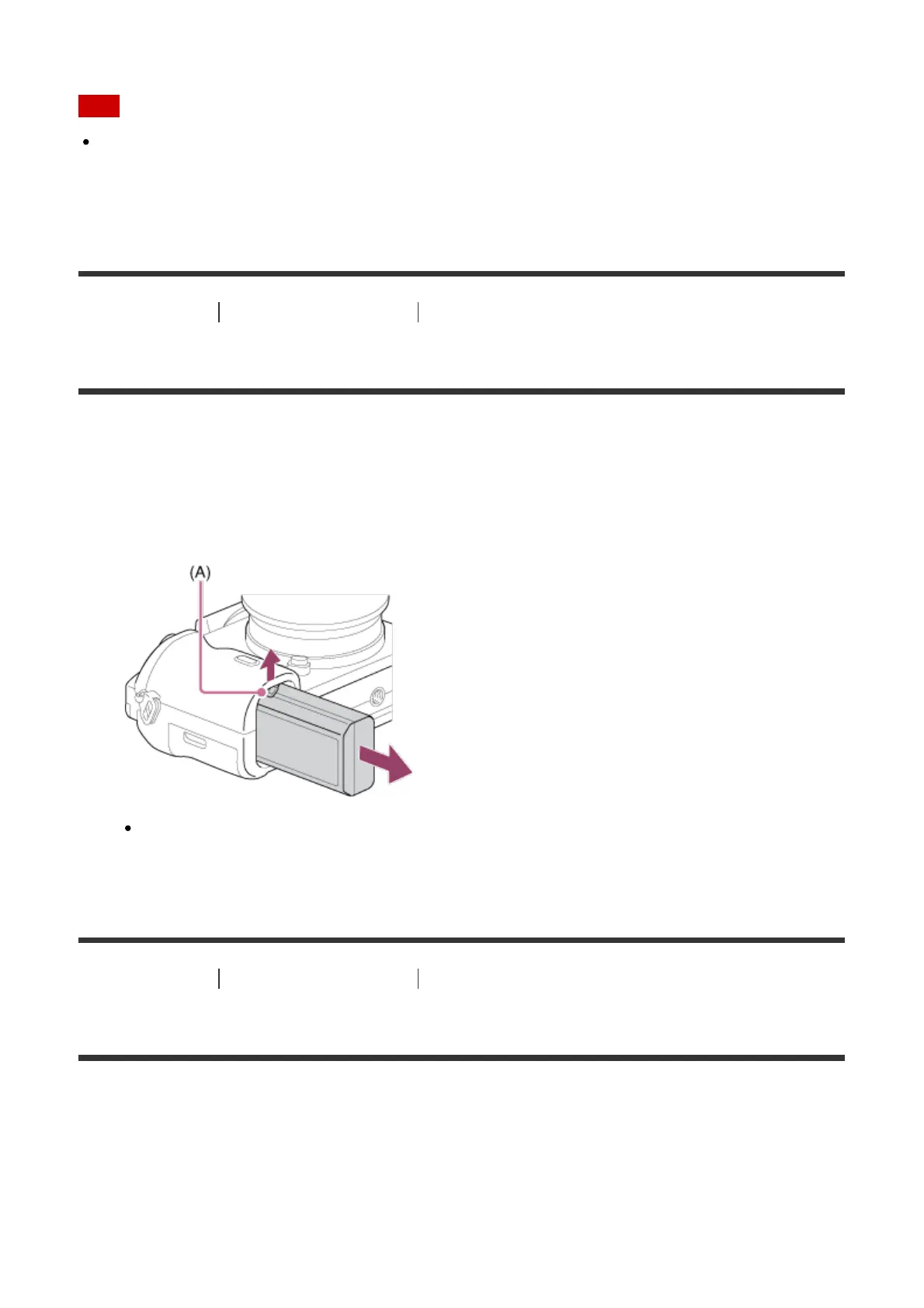
How to remove the battery pack
1. Make sure that the access lamp is not lit, and turn off the camera.
2. Slide lock lever (A) and remove the battery pack.
Be careful not to drop the battery pack.
[18] How to Use Preparing the camera Inserting a memory card (sold separately)
Inserting a memory card
How to insert a memory card
1. Slide the memory card cover to open it.



 To Next Page