The camera focuses on the subject's eyes while you keep the button pressed.
1. MENU → (Custom Settings) → [Custom Key Settings] → assign the [Eye AF]
function to the desired button.
2. Point the camera at a person's face, and press the button to which you have assigned
the [Eye AF] function.
3. Press the shutter button while pressing the button.
Note
Depending on the circumstances, the camera may not be able to focus on the eyes. In
such cases, the camera detects a face and focuses on the face.
If the camera cannot detect a person’s face, you cannot use [Eye AF].
Depending on the circumstances, you cannot use [Eye AF], such as when [Focus Mode] is
set to [Continuous AF] or [Manual Focus], etc.
[Eye AF] may not function in the following situations:
When the person is wearing sunglasses.
When the front hair covers the person’s eyes.
In low-light or back-lit conditions.
When the eyes are closed.
When the person is in the shade.
When the person is out of focus.
Hint
When the camera focuses on the eyes and [Smile/Face Detect.] is set to [On], a detection
frame is displayed on the face after it is displayed on the eyes. When [Smile/Face Detect.]
is set to [Off], a detection frame is displayed on the eyes for a certain time.
[82] How to Use
Using shooting functions Adjusting the focus
Measuring the exact distance to the subject
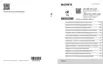
The mark shows the location of the image sensor*. When you measure the exact
distance between the product and the subject, refer to the position of the horizontal line.
The distance from the lens contact surface to the image sensor is about 18 mm (23/32 in.).
*
The image sensor is the part that converts the light source to a digital signal.



 To Next Page