Help Guide
Interchangeable Lens Digital Camera
ILME-FX3 Ver.2 or later
Inserting/removing a memory card
Explains how to insert a memory card (sold separately) to the camera. You can use CFexpress Type A memory cards
and SD memory cards with this camera.
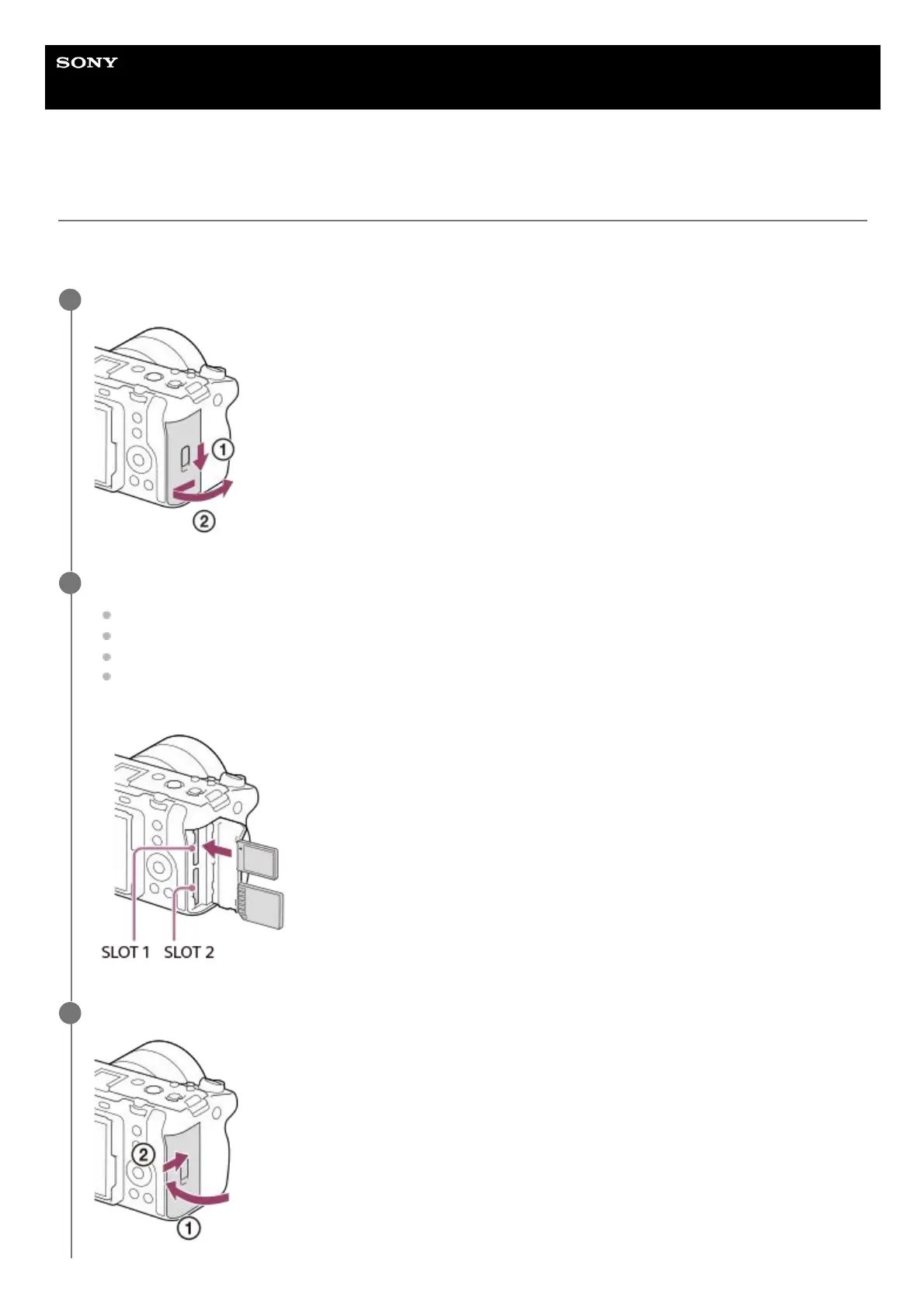
Slide the switch on the memory card cover to open the cover.
1
Insert the memory card into the slot 1.
When using two memory cards, insert the second one into the slot 2.
Both Slot 1 and Slot 2 support CFexpress Type A memory cards and SD memory cards.
In the default settings, images are recorded on the memory card in Slot 1.
Insert a CFexpress Type A memory card with the label facing the monitor, and an SD memory card with the
terminal facing the monitor. Insert the card until it clicks into place.
2
Close the cover.
3



 To Next Page