Help Guide
Interchangeable Lens Digital Camera
ILME-FX3 Ver.2 or later
Attaching the supplied XLR handle unit
By attaching the XLR handle unit, you can use the functions of the XLR adaptor.
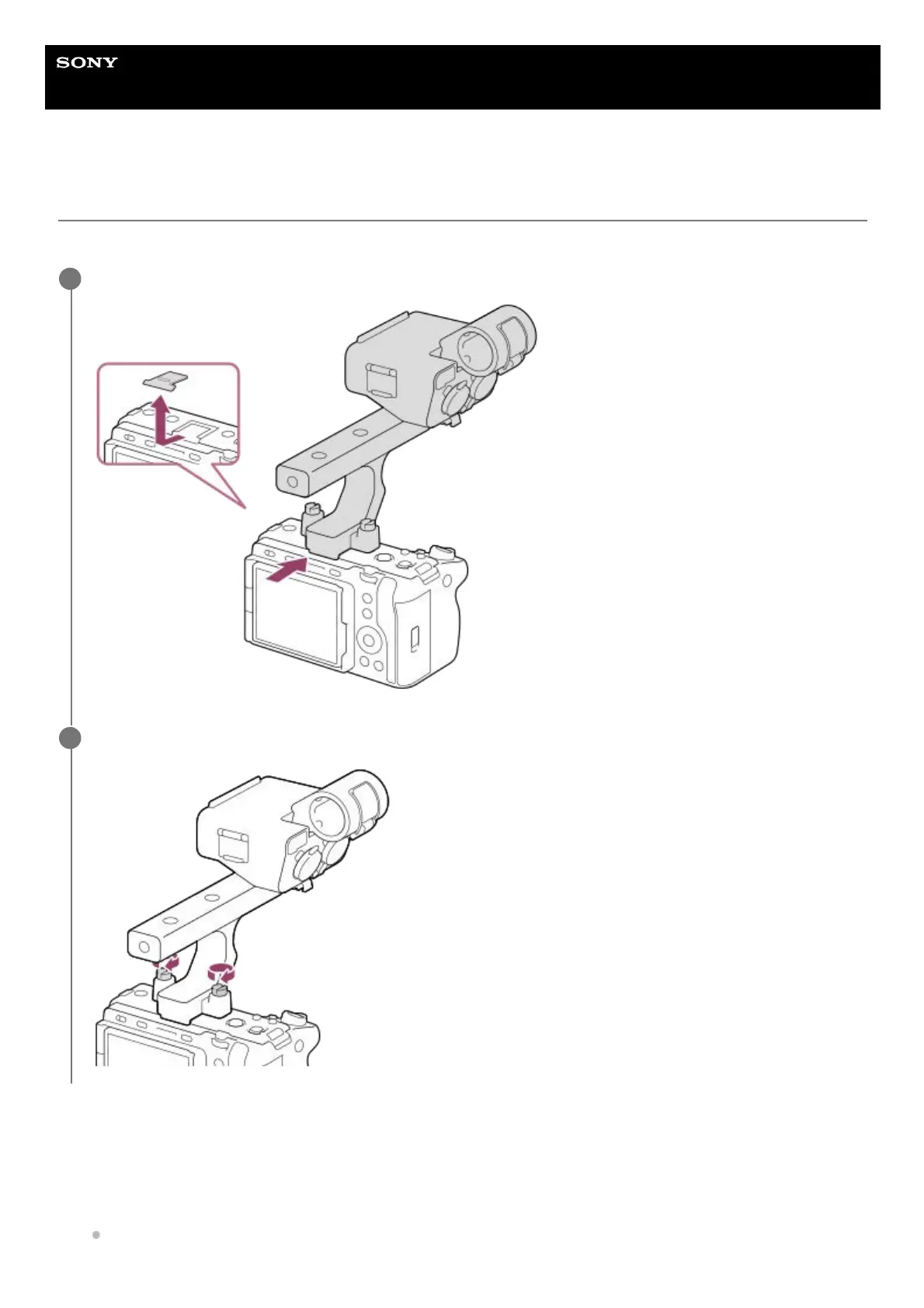
To mount the accessory shoe
Remove the shoe cap, and then attach the XLR handle unit to the Multi Interface Shoe.
1
Tightly fix the screws on either side by using a coin, etc.
2
Remove four screws from the XLR handle unit.1.
Attach the accessory shoe so that its protrusions match the recesses in the accessory shoe mount, and then fix it to
the mount with the four screws.
Use the screws supplied with the accessory shoe kit.
2.



 To Next Page