Help Guide
Interchangeable Lens Digital Camera
ILX-LR1
DISP (Screen Disp) Set
Allows you to set the screen display modes that can be selected using DISP (Display Setting) in shooting mode.
Menu item details
Display All Info. :
Shows recording information.
No Disp. Info. :
Does not show recording information.
You can set whether to always display the exposure information or to hide exposure information after a certain period of
time has elapsed from operation of the shutter/MOVIE (movie) button, etc. when shooting still images. ([ Exposure:
On]/[ Exposure: TimeOut])
Histogram :
Displays the luminance distribution graphically.
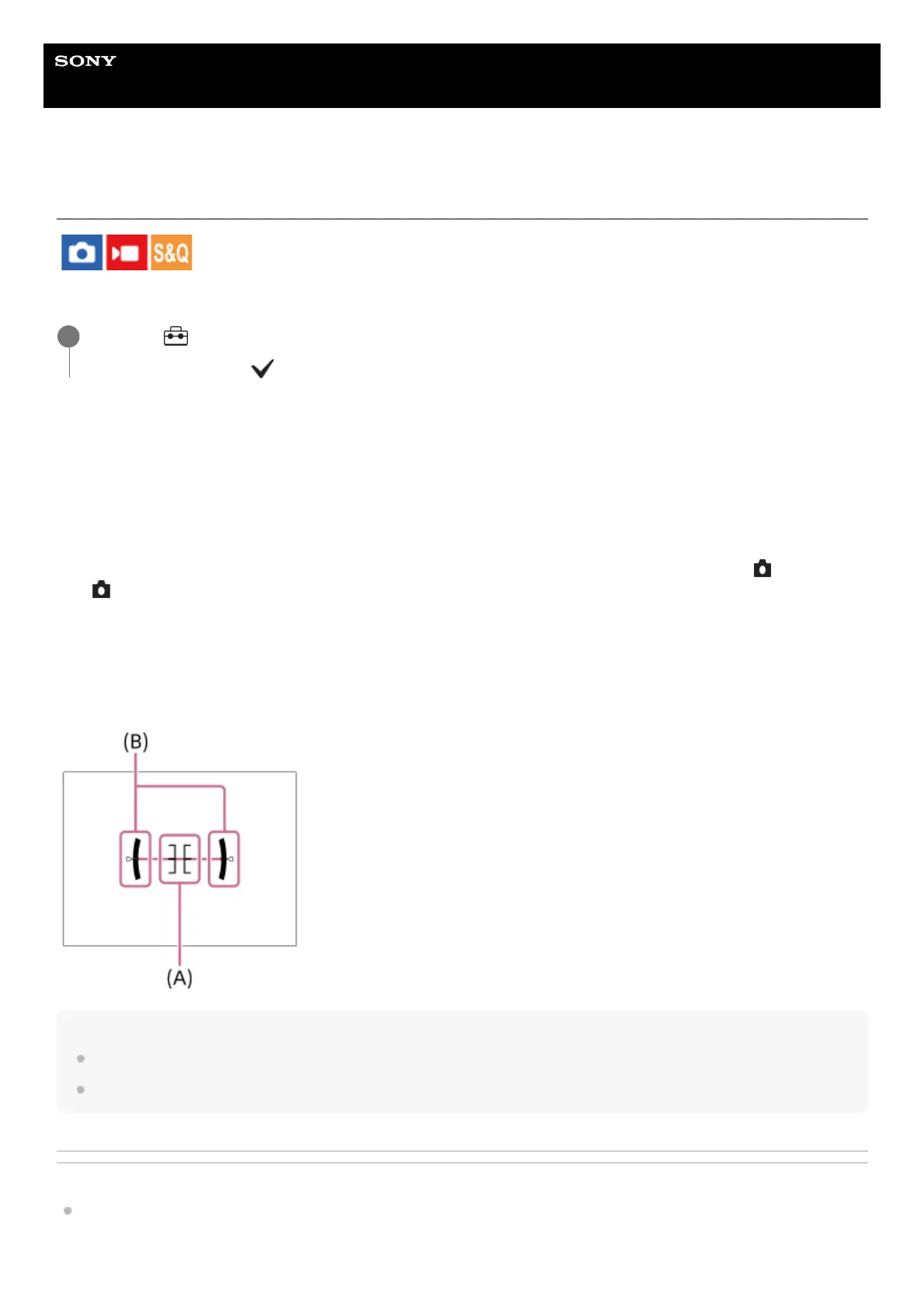
Level :
Indicates whether the product is level in both the front-back (A) and horizontal (B) directions. When the product is level in
either direction, the indicator turns to green. (The level does not work when the lens is facing right up or right down.)
Note
If you tilt the product forward or backward by a large degree, the level error will be great.
The product may have a margin of error of almost ±1° even when the inclination is corrected by the level.
Related Topic
DISP (Display Setting) button
TP1001198927
MENU → (Setup) → [Operation Customize] → [DISP (Screen Disp) Set] → desired setting → [Enter].
The items marked with (check) are available.
1



 To Next Page