Help Guide
Interchangeable Lens Digital Camera
ILX-LR1
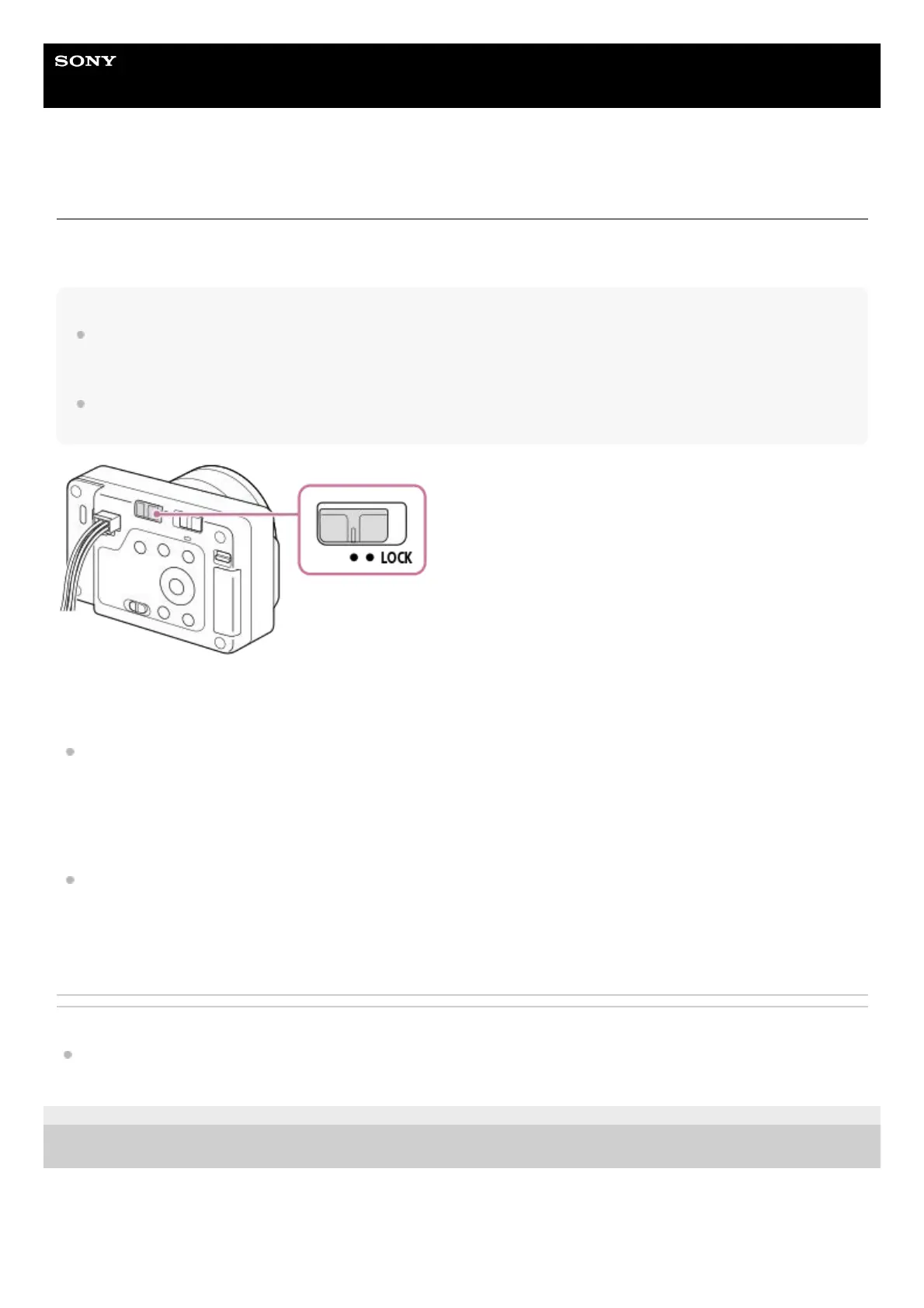
LOCK switch
You can lock the control wheel and all buttons except the shutter/MOVIE (Movie) button by sliding the LOCK switch to the
right (“LOCK” side). To unlock them, slide the LOCK switch to the left.
Hint
When the LOCK switch is locked, the shooting mode will not change even if you switch the Still/Movie/S&Q switch. Whether the
shutter/MOVIE (Movie) button operates as the shutter button for still image shooting or operates to start/stop movie shooting or
slow-motion/quick-motion movie shooting is determined by the shooting mode when the LOCK switch is locked.
Even if camera operations are locked with the LOCK switch, you can operate external devices connected to the camera, such as
a Bluetooth remote commander.
You can also use the Camera Remote SDK to lock or unlock operations.
Precautions when using the Camera Remote SDK to lock or unlock operations
If you have locked operations using the Camera Remote SDK with the LOCK switch slid to the left (unlocked state),
follow the steps below to unlock operations.
If you have unlocked operations using the Camera Remote SDK with the LOCK switch slid to the right (locked state),
follow the steps below to lock operations.
Related Topic
Using the Camera Remote SDK
TP1001273575
5-055-988-11(1) Copyright 2023 Sony Corporation
Issue an unlock command with the Camera Remote SDK.1.
Slide the LOCK switch to the right, and then slide it to the left.2.
Issue a lock command with the Camera Remote SDK.1.
Slide the LOCK switch to the left, and then slide it to the right.2.



 To Next Page