Help Guide
Interchangeable Lens Digital Camera
ILX-LR1
Shooting movies
Explains how to record movies.
This product cannot record audio.
To select the recording format (
File Format)
The resolution and degree of compatibility vary depending on the recording format (XAVC HS 4K/XAVC S 4K/XAVC S
HD/XAVC S-I 4K/XAVC S-I HD). Select the format in accordance with the purpose of the movie to be shot.
To select the frame rate or image quality ( Movie Settings)
The frame rate determines the smoothness of motion in movies. ([ Movie Settings] → [Rec Frame Rate])
The image quality changes with the bit rate. ([ Movie Settings] → [Record Setting])
If the bit rate is high, the amount of information will increase and you can shoot high-quality movies. However, this will
result in a larger volume of data.
Select the frame rate and bit rate according to your preference and purpose.
To adjust the exposure ( Shoot Mode)
You can select the exposure mode in [ Shoot Mode]. Select the exposure mode through the combination of a shutter
speed and aperture value.
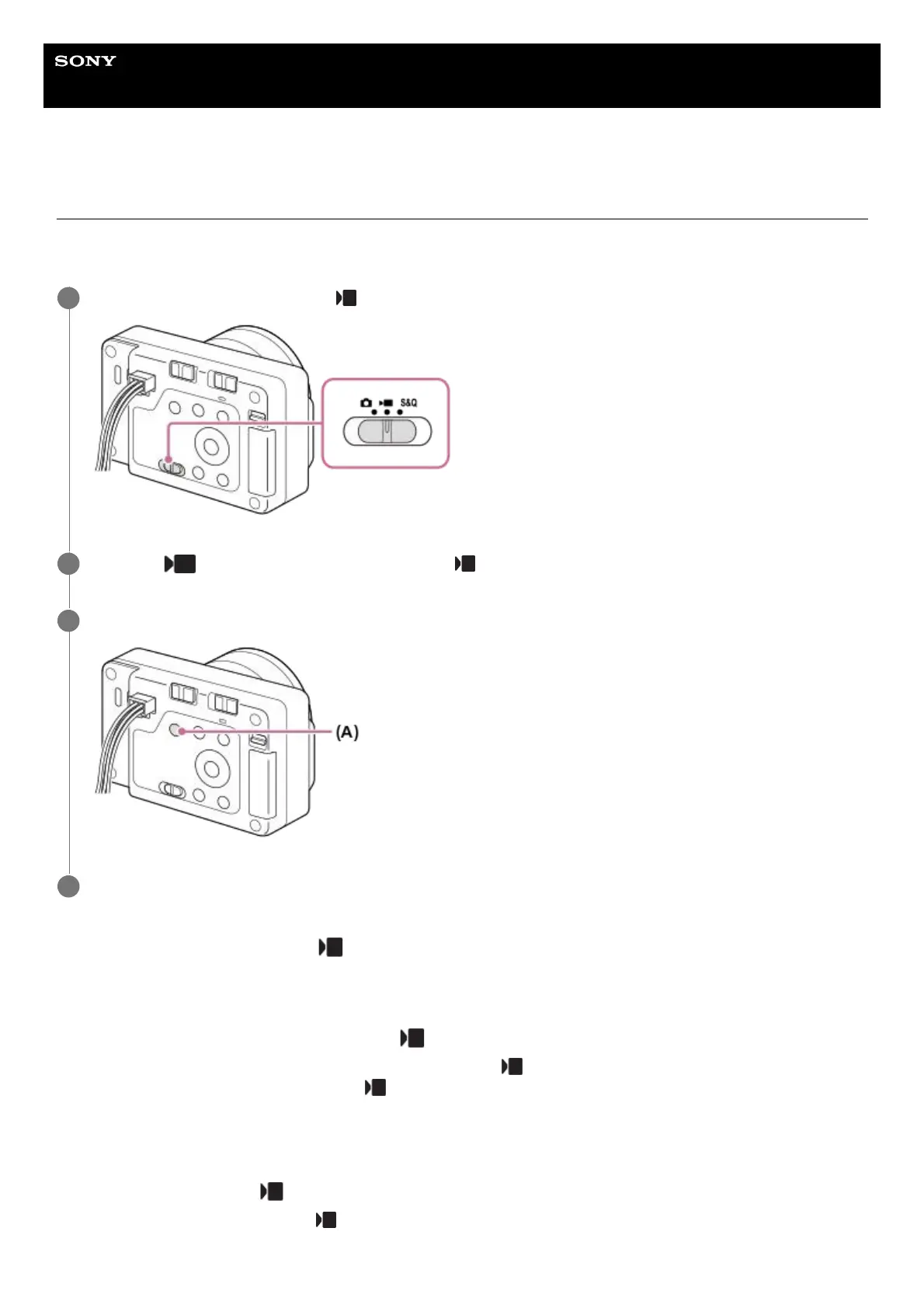
Set the Still/Movie/S&Q switch to
(Movie) to select the movie recording mode.
1
MENU → (Shooting) → [Shooting Mode] → [ Shoot Mode] → desired shooting mode.
2
Press the shutter/MOVIE (Movie) (A) button to start recording.
3
Press the shutter/MOVIE (Movie) button again to stop recording.
4



 To Next Page