Equipment with
Digital Audio
(Optical)
Disconnect all power sources before making any connections.
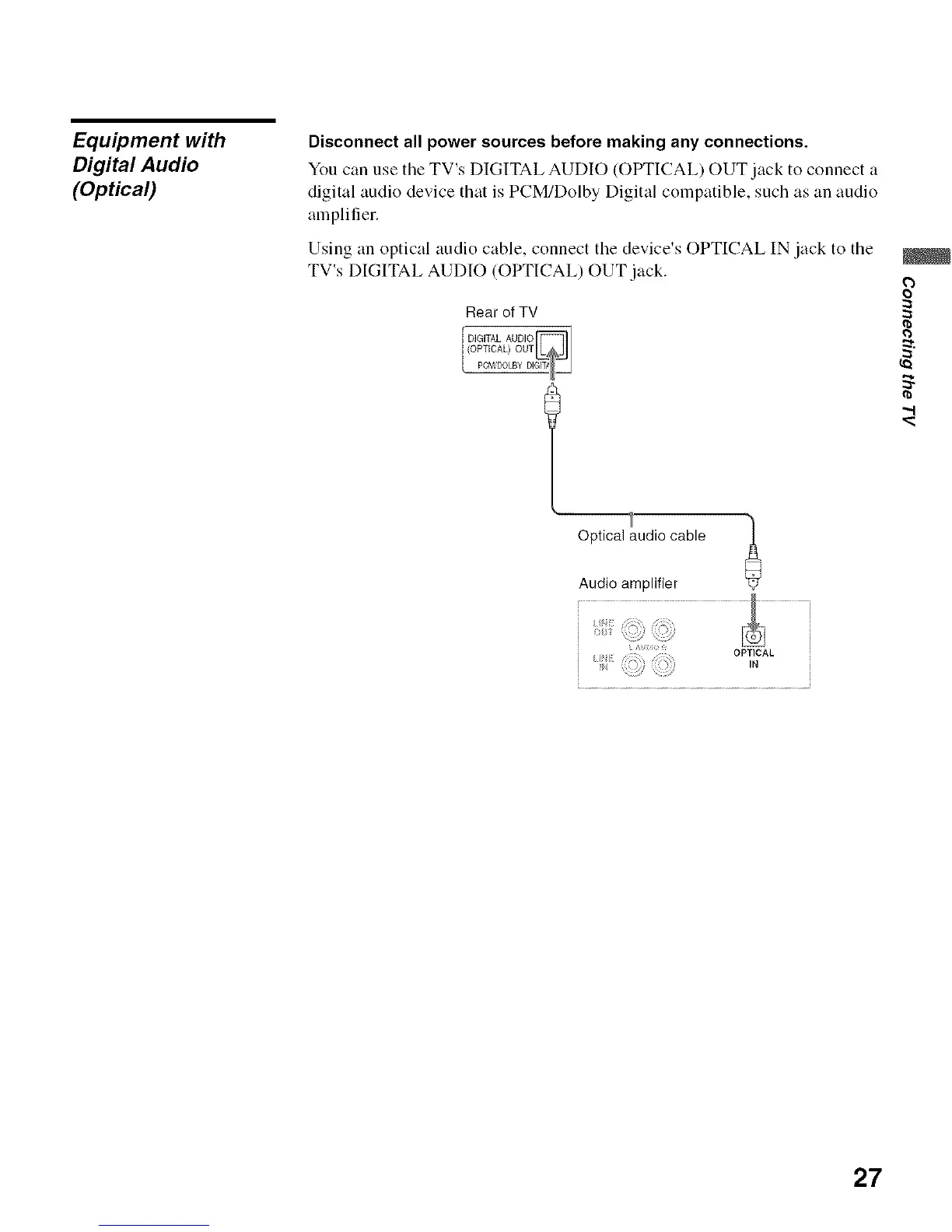
You can use the TV's DIGITAL AUDIO (OPTICAL) OUT jack to connect a
digital audio device that is PCM/Dolby Digital compatible, such as an audio
amplifier.
Using an optical audio cable, connect the device's OPTICAL IN jack to the
TV's DIGITAL AUDIO (OPTICAL) OUT jack.
Rear of TV
PCM DOLBY D
o
-,.I
Optical audiocable
Audio amplifier
OPTICAL
,°
27






 To Next Page