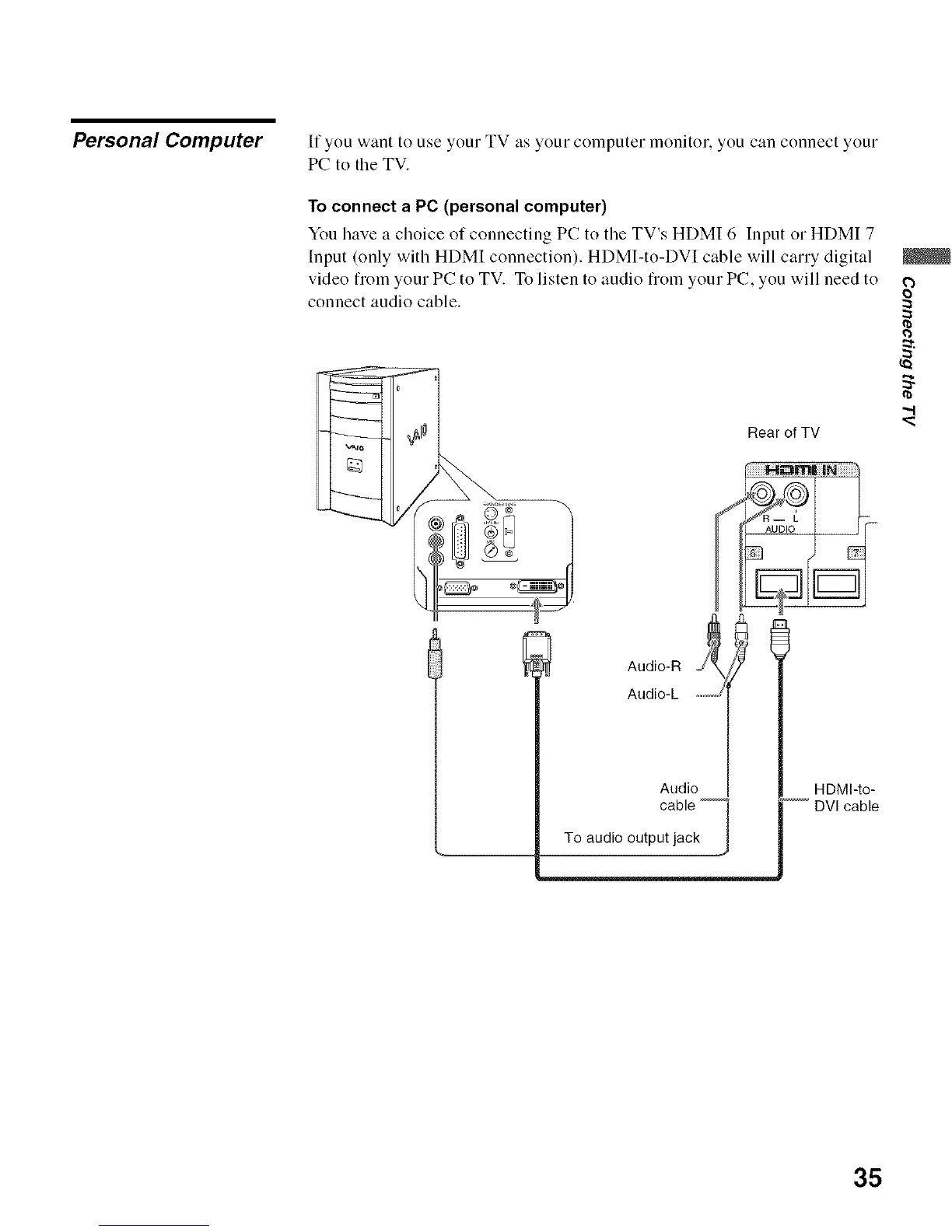
Personal Computer If you want to use your TV as your COlnputer monitor, you can connect your
PC to the TV.
To connect a PC (personal computer)
You have a choice of connecting PC to the TV's HDMI 6 Input or HDMI 7
Input (only with HDMI connection). HDMI-to-DVI cable will carry digital
video fiom your PC to TV. To listen to audio fiom your PC, you will need to
connect audio cable.
Rear of TV
HDMI-to-
DVI cable
|
o
0
35






 To Next Page