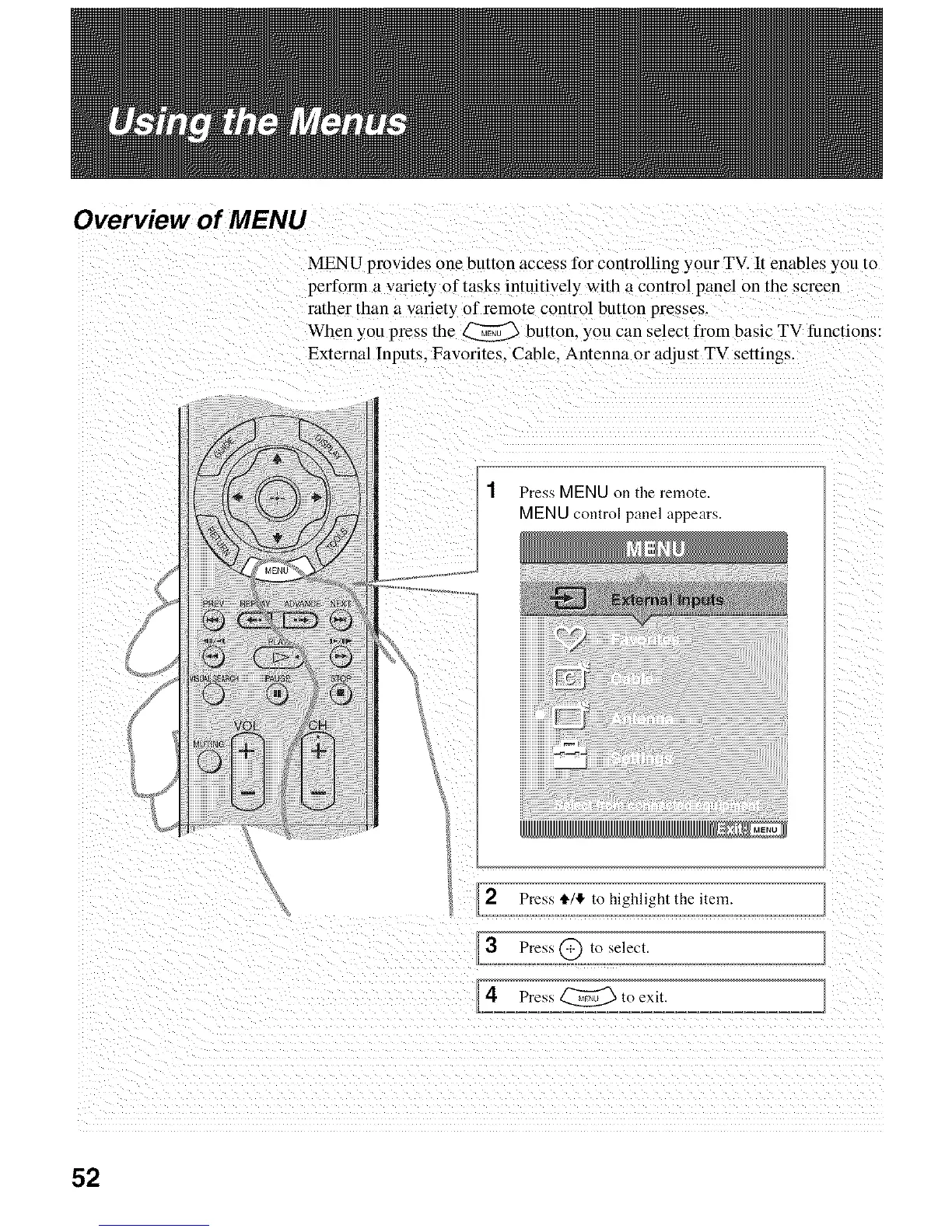
Overview of MENU
MENU provides one button access for controlling your TV. It enables you to
perfotTn a variety of tasks intuitively with a control panel on the screen
rather than a variety of remote control button presses.
When you press the _ button, you can select from basic TV functions:
External Inputs. Favorites. Cable. Antenna or adjust TV settings.
1 Press MENU on the remote.
MENU control panel appears.
2 Press _/4 to highlight the item.
3 Press@ to select.
4 Press_to exit.
52






 To Next Page