7
8
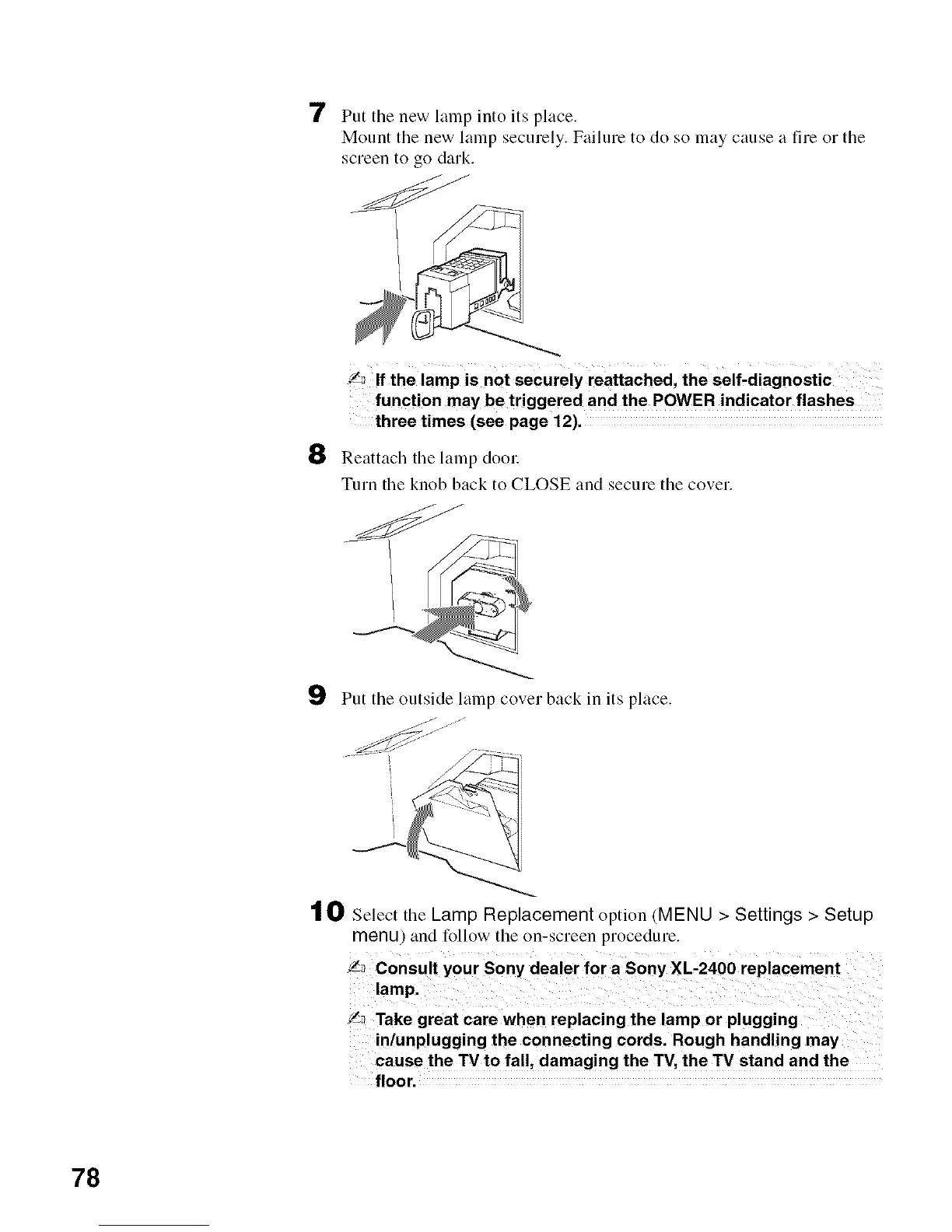
Put the new lamp into its place.
Mount the new lamp securely. Failure to do so may cause a fire or the
screen to go dark.
_ If the lamp is not securelY reattached, the self-diagnostic
function may be triggered and the POWER indicator flashes
three times (see page 12).
Reattach tile lamp door
Turn tile knob back to CLOSE and secure tile cover.
9 Put tile outside lamp cover back in its place.
j.J"
t O Select the Lamp Replacement option (MENU > Settings > Setup
menu) and follow the on-screen procedure.
!_ Take great care when replacing the lamp or plugging
in/unplugging the connecting cords. Rough handling may
cause the TV to fall, damaging the "IV, the TV stand and the
f_oor.
78






 To Next Page