E:\DATA\4297517111\4297517111_KDL32BX310_EN\01US05INS.fm
masterpage:Right
KDL-32BX310
4-297-517-11(1)
13
Getting Started
PC
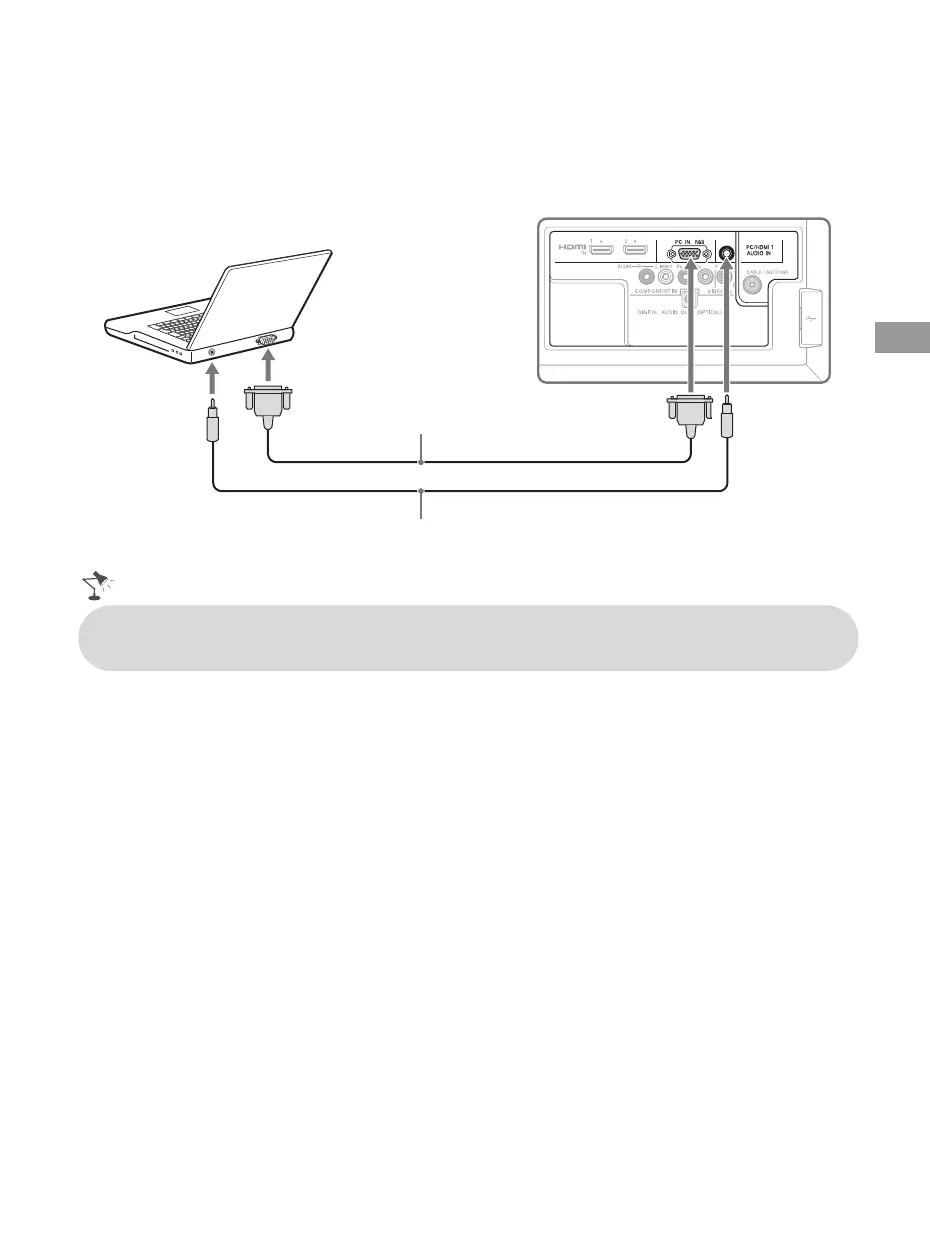
Use the TV as a monitor for your PC by connecting an HD15-HD15 cable connection as shown
below. This TV can also be connected to a PC with a DVI or HDMI output. (Refer to the separate
Quick Setup Guide.)
Rear of TV
HD15-HD15 cable
(analog RGB)
Audio cable (stereo mini plugs)
• Connect the PC IN jack to the PC using an HD15-HD15 cable with ferrite core (analog RGB) and
audio cable (page 8).
01US0 Cov-UC.book Page 13 Wednesday, July 13, 2011 11:08 AM




 To Next Page