6
GB
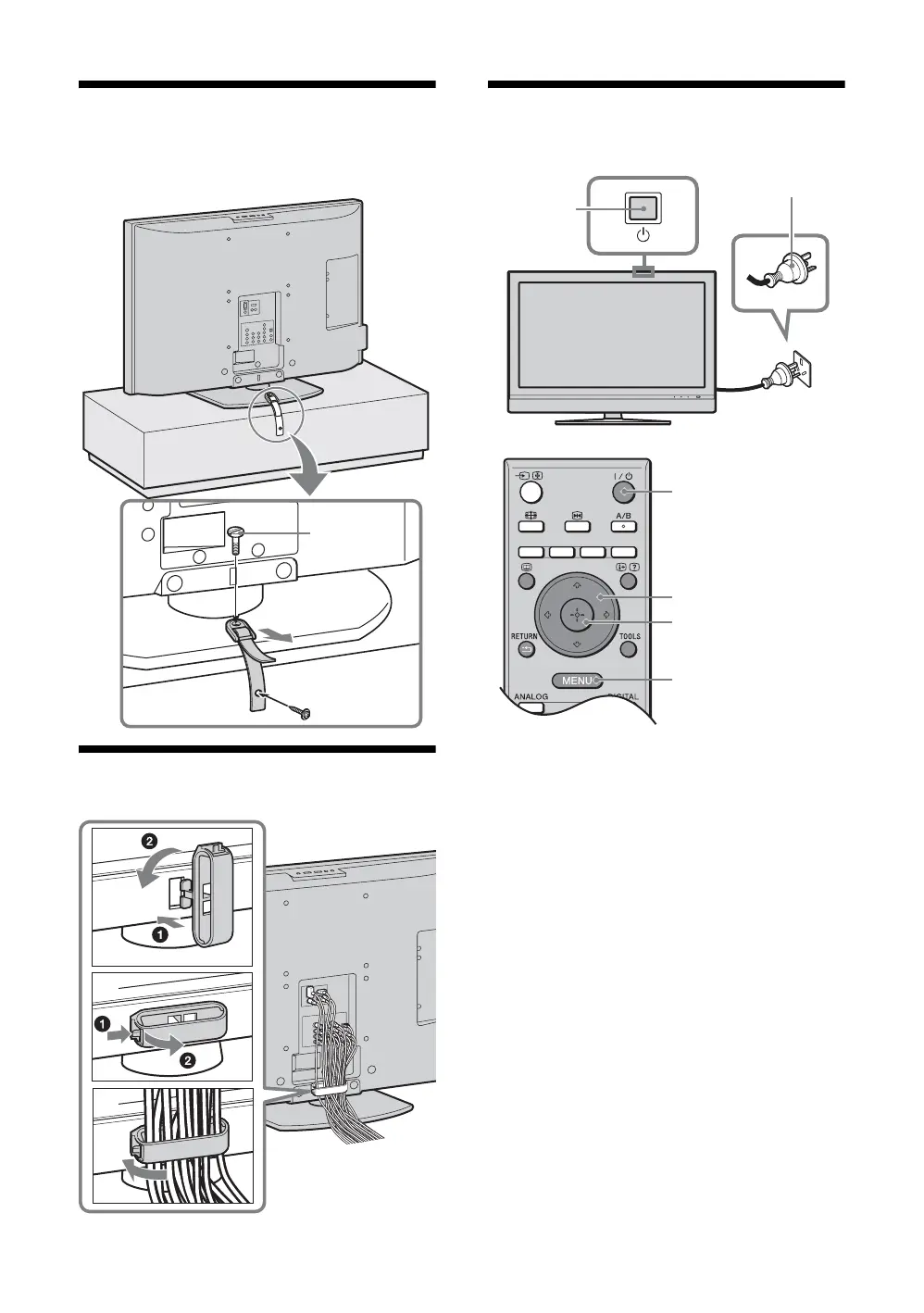
3: Preventing the TV
from toppling over
4: Bundling the cables
5: Auto-tuning the TV
1 Connect the TV to your AC power outlet
(220-240 V AC, 50 Hz).
2 Press 1 on the TV (top side).
When you switch on the TV for the first time, the
Time Setup menu appears on the screen.
When the TV is in standby mode (the
1 (standby)
indicator on the TV (front) is red), press "/1 on
the remote to switch on the TV.
2
3
1
1
2
3
1
2
3,4,5,8
3,4,5,8
2
7





 To Next Page