7
GB
Start-up Guide
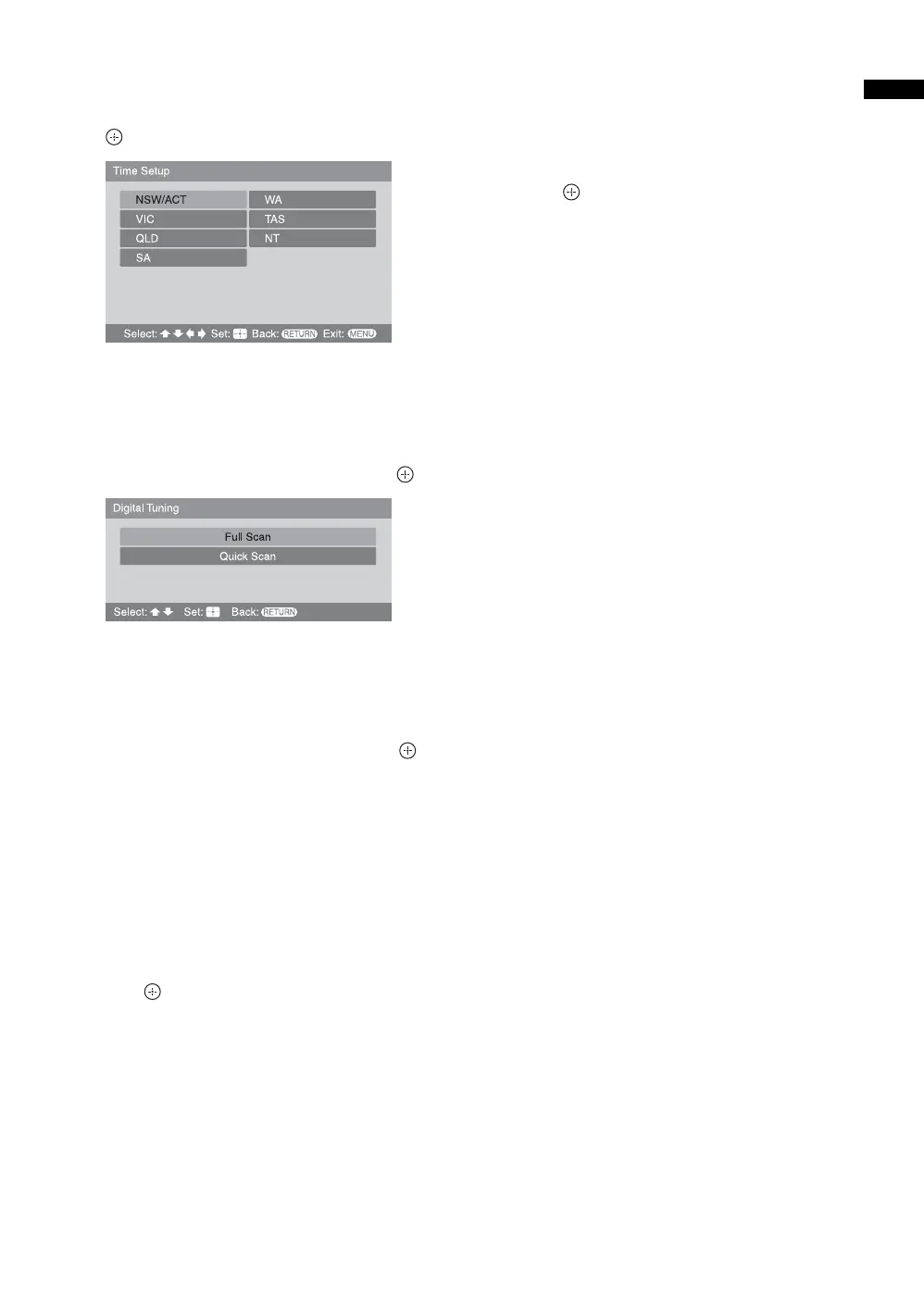
3 Press F/f/G/g to select the state/region
in which you will operate the TV, then press
.
This option allows you to set the time zone in
which you will operate the TV. This will ensure
that the time displayed on the i-Plate (page 16) is
correct.
4 Press F/f to select “Full Scan” or “Quick
Scan” to preset channels, then press .
“Full Scan”: All available channels are tuned and
stored. This procedure may take some time.
“Quick Scan”: All expected channels in your area
are tuned and stored. You will need to select your
nearest city to help speed up this procedure.
5 Press G/g to select “OK”, then press .
A display appears showing a tuning progress bar
and the channels tuned and stored.
The TV starts searching for all available digital
channels, followed by all available analog
channels. This may take some time, please be
patient and do not press any buttons on the TV or
remote.
If a message appears for you to confirm the
antenna connection
No digital or analog channels were found. Check
the antenna connection and select “Confirm”, then
press to start auto-tuning again.
If no analog channels were found and one or
more digital channels were found
Go to step 8.
6 When the Program Sorting menu appears
on the screen, follow the steps of “Program
Sorting” (page 30).
If you do not change the order in which the analog
channels are stored on the TV, go to step 7.
7 Press MENU to exit.
The TV has now tuned in all the available channels.
8 Press G/g to select the desired setting in
“Display this menu next time ?” dialog, then
press to exit.
Tip
If “Yes” is selected and the TV is switched off by pressing 1
on the TV, or is disconnected from the AC power outlet, the
auto startup procedure restarts the next time the TV is
switched on.





 To Next Page