23
GB
Using Menu Functions
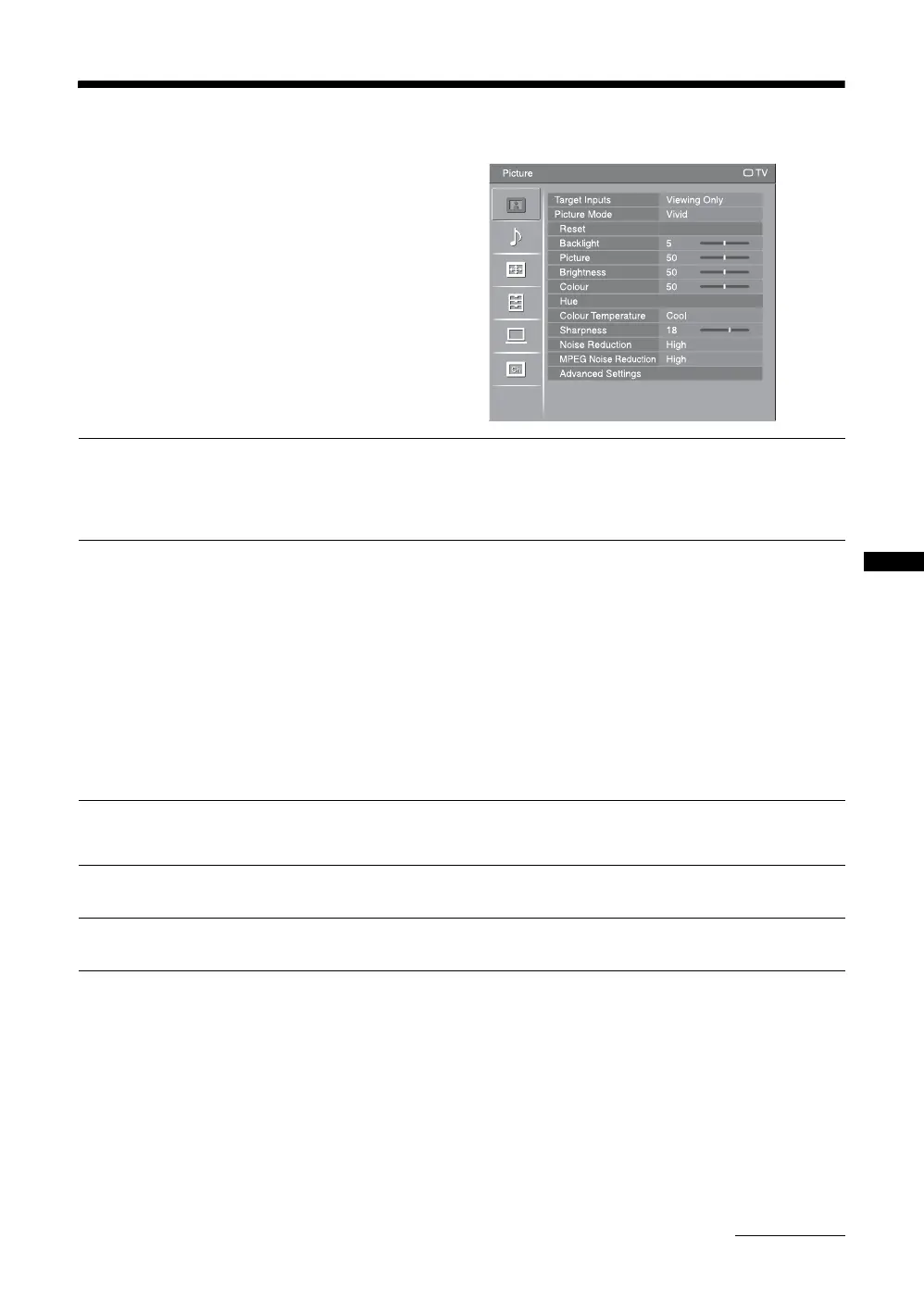
Picture menu
You can select the options listed below on the
“Picture” menu. To select options in “Settings”, refer
to “Navigating through menus” (page 22).
Target Inputs
Selects whether to apply settings made in the “Picture” menu to all inputs, or only to
the input currently being watched.
“All”: Applies settings to all inputs.
“Viewing Only”: Applies settings only to the current input.
Picture Mode
Selects the picture mode for inputs other than a PC. The options for “Picture Mode”
may differ depending on the “Video/Photo” setting (page 29).
“Vivid”: For enhanced picture contrast and sharpness.
“Standard”: For standard picture. Recommended for home entertainment.
“Cinema”: For viewing film-based contents. Most suitable for viewing in a theatre-
like environment.
“Photo”: Sets the optimum picture quality for photographs.
Display Mode
Selects the display mode for PC input source.
“Video”: For video images.
“Text”: For text, charts or tables.
~
The options displayed vary depending on the input source.
Reset
Resets all the “Picture” settings except “Target Inputs”, “Picture Mode” and
“Display Mode” to the factory settings.
Backlight
Adjusts the brightness of the backlight.
Picture
Increases or decreases picture contrast.
Continued





 To Next Page