6
GB
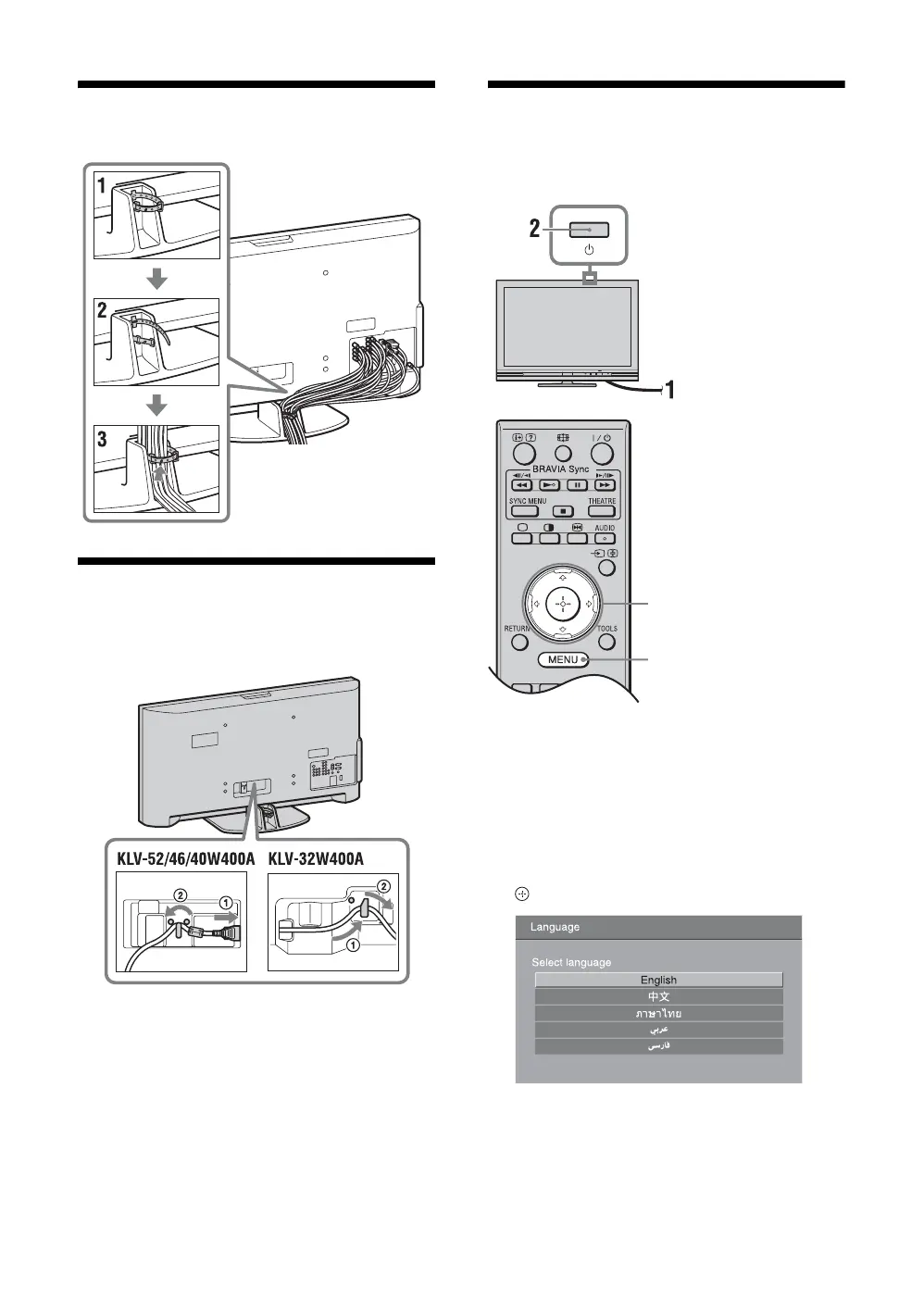
5: Bundling the cables
6: Connecting the AC
power cord
* Type of AC power cord supplied (with or without the
ferrite core) varies depending on the countries.
7: Performing the initial
set-up
1 Connect the TV to your AC power outlet
(110–240 V AC, 50/60 Hz).
2 Press 1 on the top edge of the TV.
When you turn on the TV for the first time, the
Language menu appears on the screen.
3 Press F/f to select the language
displayed on the menu screens, then press
.
3, 4, 5, 6, 9, 10
8





 To Next Page