25
GB
Using Menu Functions
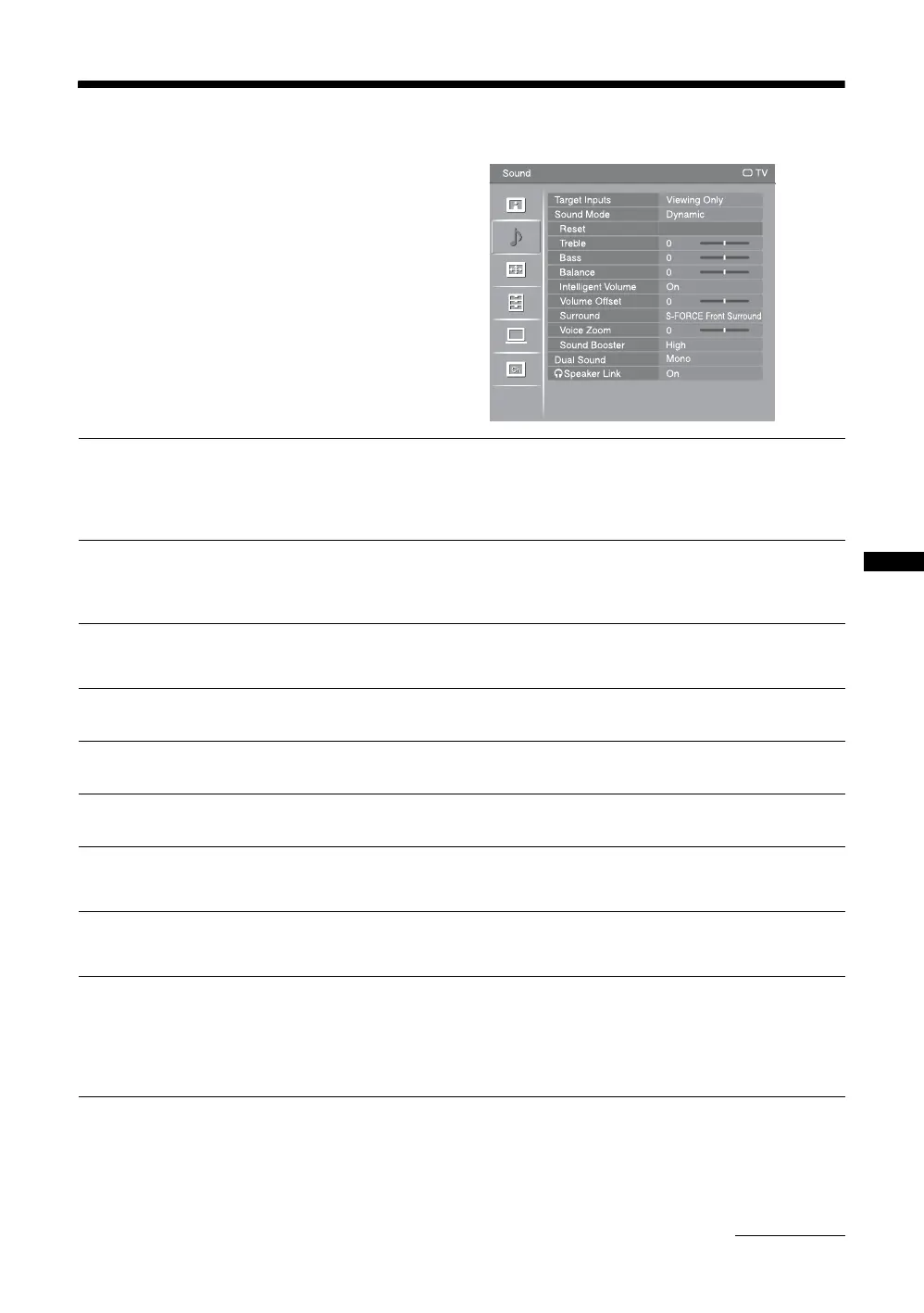
Sound menu
You can select the options listed below on the
“Sound” menu. To select options in “Settings”, refer
to “Navigating through menus” (page 22).
Target Inputs
Selects whether to apply settings made in the “Sound” menu to all inputs, or only to
the input currently being watched.
“All”: Applies settings to all inputs.
“Viewing Only”: Applies settings only to the current input.
Sound Mode
“Dynamic”: Enhances treble and bass. Recommended for home entertainment.
“Standard”: For standard sound.
“Clear Voice”: Makes voice sound clearer.
Reset
Resets all the “Sound” settings except “Target Inputs”, “Sound Mode”, “Dual
Sound” and “i Speaker Link” to the factory settings.
Treble
Adjusts higher-pitched sounds.
Bass
Adjusts lower-pitched sounds.
Balance
Emphasizes left or right speaker balance.
Intelligent Volume
Keeps a constant volume level even when volume level gaps occur (e.g. adverts tend
to be louder than programmes).
Volume Offset
Adjusts the volume level of the current input relative to other inputs, when “Target
Inputs” is set to “Viewing Only”.
Surround
“S-FORCE Front Surround”: Available for normal stereo broadcast and 5.1ch
broadcast surround audio, and the audio input from connected equipment.
“Simulated Stereo”: Adds a surround-like effect to mono programmes.
“Off”: Converts and reproduces 5.1ch and other broadcast surround audio as normal
stereo audio (2ch). Reproduces the original audio of other broadcasts as is.
Continued







 To Next Page