12
-EN
Getting Started
A/V CONTROL
PIP
FEATURES
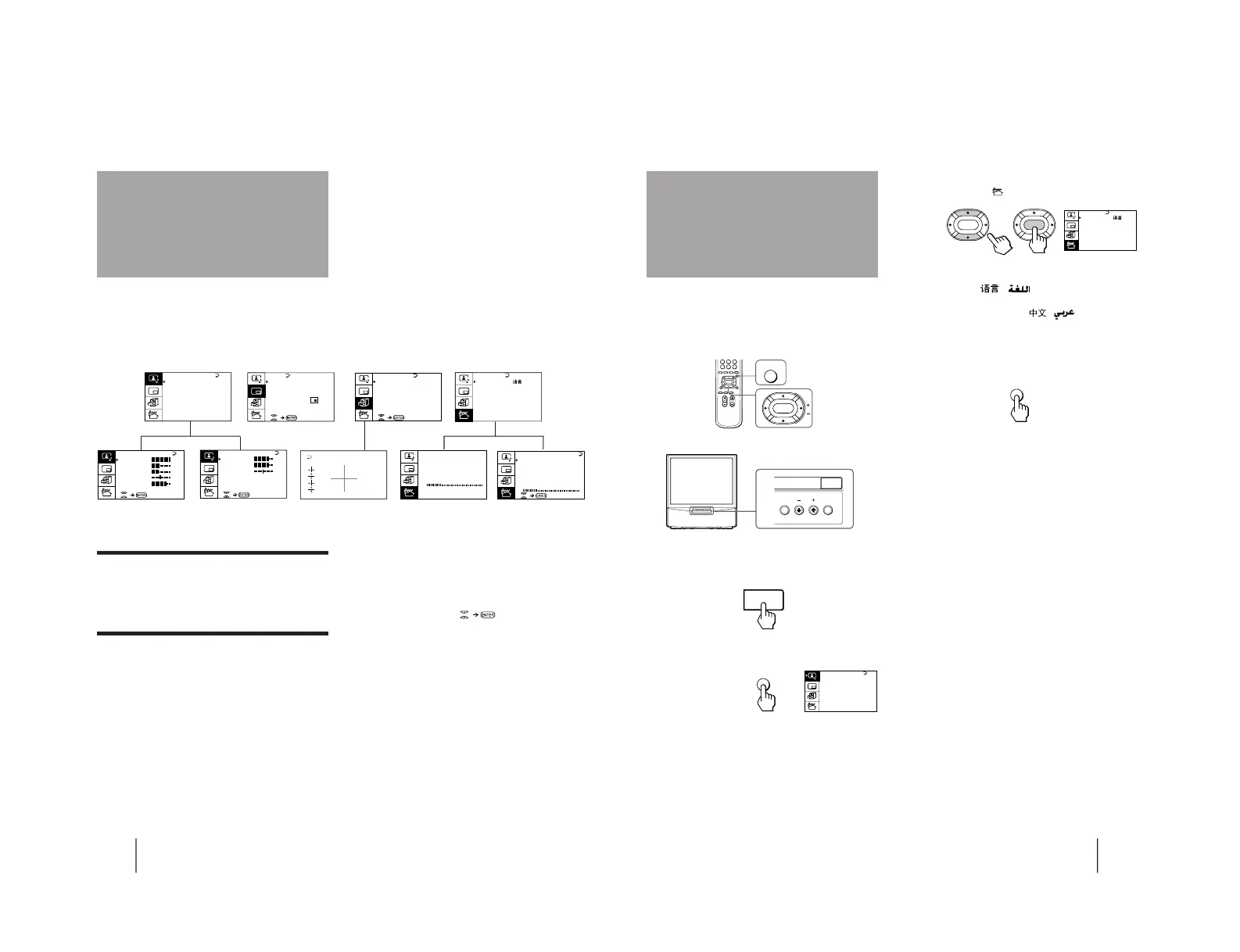
Getting back to the previous menu
(except for AUTO PROGRAM)
Press V or v to move the cursor (z) to the first
line (N) of each menu, and press ENTER.
Cancelling the menu screen
Press MENU.
Notes (except for AUTO PROGRAM)
• When a menu is selected after pressing ENTER, the color of
both the menu and the menu symbol change and the cursor
(z) appears beside the first item of the menu.
• When an item on the menu is selected after pressing ENTER,
the color of the item changes.
• You can refer to the guide (
) at the bottom of the
menus (except for the A/V CONTROL and PRESET menus)
for the basic operations of the menu.
• If more than approximately 60 seconds elapse after you press a
button, the menu screen disappears automatically.
PRESET
Introducing the
menu system
You can preset TV channels, adjust the picture and sound qualities, and select some settings using the on-screen
menus. You can use the buttons on both the remote commander and the TV to operate the menus.
13
-EN
Getting Started
Changing the menu
language
3
Press V or v to move the cursor (z) to the
PRESET menu (
), and press ENTER.
4
Make sure the cursor (z) appears beside
LANGUAGE/
( ), and press ENTER.
5
Press V/b/v/B to select
( ), and press
ENTER.
All of the menus change to Chinese (Arabic).
6
Press MENU to return to the normal screen.
If you prefer Chinese (for MN, MG, HK and SN
models)/Arabic (for ME model) to English, you can
change the menu language. You can use buttons on
both the remote commander and the TV.
1
Press U to turn on the TV.
2
Press MENU.



 To Next Page