EasyManua.ls Logo

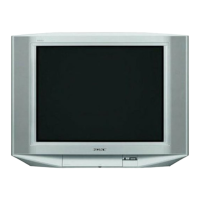
Sony KV-HR32K90 - User Manual

Sony KV-HR32K90
261 pages
Print Icon
To Next Page IconTo Next Page
Loading...
HISTORY
When clicking an item, it’s detail is displayed.
Date SUPP./CORR. Description of SUP/COR
Change of
main text
2004.01 NEW
Model Name: KV-HR32K90/HR32M31
SERVICE MANUAL
Part No. : 9-965-399-01

Table of Contents

Questions and Answers

  • B
    Bailey SpencerSep 23, 2025
    What does “No still file” displayed on Sony KV-HR32K90 TV mean?
    • B
      Benjamin BoydSep 23, 2025
      If your Sony TV displays “No still file”, it means that “Show Stills” is selected from “Filter” of the “Options” menu, but the selected folder does not contain any still image files. To fix this, select a folder that contains still image files.
  • D
    Dana HendersonAug 25, 2025
    How to fix snowy picture and noisy sound on Sony TV?
    • C
      Christina AtkinsonAug 25, 2025
      To address snowy pictures and noisy sound on your Sony TV, start by checking the antenna cable and its connections at the TV, VCR, and wall. The issue might stem from a loose connection or a damaged cable. If the connection is fine, the channel presetting may be inappropriate or incomplete. To resolve this, access the “Channel Setup” menu under the “Setup” menu and choose “Manual Program” to preset the channel again. It's also crucial to ensure that you're using the correct antenna type (VHF/UHF). If problems persist, try adjusting the antenna direction or using a booster to improve signal transmission.
  • R
    Rachel RhodesAug 25, 2025
    Why is there noisy sound on my Sony TV but the picture is good?
    • B
      Brittany LewisAug 26, 2025
      If your Sony TV displays a good picture but has noisy sound, the TV system setting might be incorrect. If the sound is noisy on all channels, go to the “Channel Setup” menu under the “Setup” menu and select “Auto Program” to preset the channels again. If only some channels have noisy sound, select the specific channel, then go to the “Channel Setup” menu under the “Setup” menu and choose the appropriate TV system (“TV System”). Also, ensure that you are not accidentally listening to the sound of the right picture when TWIN pictures are displayed by pressing or .
  • T
    tara63Aug 27, 2025
    What to do if my Sony TV has no picture and no sound?
    • T
      Terry ColemanAug 27, 2025
      If your Sony TV shows no picture and has no sound, first check that the power cord, antenna, and VCR are properly connected. Also, ensure that the TV is turned on by pressing on the remote. If it still doesn't turn on, press on the TV to turn it off for about five seconds, then turn it on again.
  • J
    Joshua BowenAug 27, 2025
    Why does my Sony TV have a good picture but no sound?
    • W
      waltersbrittneyAug 27, 2025
      If your Sony TV has a good picture but no sound, first, make sure the volume isn't too low by pressing +. Also, check if the sound is muted and press to cancel muting. If neither of these resolves the issue, the broadcast signal may have a transmission problem; try pressing A/B until you hear better sound. Finally, ensure you're not accidentally selecting the sound of the right picture when TWIN pictures are displayed by pressing or .
  • B
    Brandon HarrisSep 14, 2025
    What does “Too many files. Cannot enter Digital Camera Mode.” mean on Sony TV?
    • C
      Christina AndersonSep 14, 2025
      If your Sony TV displays “Too many files. Cannot enter Digital Camera Mode.”, it means that when “Digi. Cam. Mode” is set to “On”, you can display 2,000 files or less. To resolve this, set “Digi. Cam. Mode” to “Off” and select the folder.
  • M
    Mark HernandezSep 12, 2025
    What does “Memory Stick error” displayed on Sony KV-HR32K90 mean?
    • D
      Denise BradleySep 12, 2025
      If your Sony TV displays “Memory Stick error”, the “Memory Stick” may be irregular. Remove the “Memory Stick” and re-insert it. If the error persists, the “Memory Stick” might be broken, so try inserting another “Memory Stick.”
  • I
    Isabella WilliamsSep 13, 2025
    What does “Format error” displayed on Sony KV-HR32K90 TV mean?
    • B
      Bethany MorseSep 13, 2025
      If your Sony TV displays “Format error”, it indicates that the “Memory Stick” is not formatted correctly. Format it correctly using a digital camera or other equipment, or insert another “Memory Stick” that is already formatted correctly.
  • J
    Jennifer RodriguezSep 5, 2025
    Why does my Sony KV-HR32K90 TV have abnormal color patches?
    • M
      Mrs. Stephanie WatsonSep 5, 2025
      If your Sony TV displays abnormal color patches, it could be due to magnetic disturbance from external speakers or other equipment, or the earth's magnetic field. Move external speakers or other equipment away from the TV. Avoid moving the TV while it is turned on. Turn off the TV using the main power button for about 15 minutes, then turn it back on. You can also adjust the picture position by going to the “Picture Position” menu under the “Setup” menu and adjusting “Picture Rotation” and “Picture V- Position” to align the picture.
  • N
    Nicholas GreenSep 2, 2025
    How to align picture to the screen on Sony KV-HR32K90?
    • K
      Kenneth TorresSep 2, 2025
      If the picture on your Sony TV is not aligned to the screen, it might be due to magnetic disturbance from external speakers or other equipment, or the earth’s magnetic field. Keep external speakers and other electrical equipment away from the TV. You can also adjust the picture position by going to the “Picture Position” menu under the “Setup” menu and adjusting “Picture Rotation” and “Picture V- Position” to align the picture.

Sony KV-HR32K90 Specifications

General IconGeneral
Screen Size32 inches
Display TechnologyCRT
Aspect Ratio16:9
TunerAnalog
Resolution1080i
Sound Output20W
InputsComposite, S-Video, Component

Related product manuals