Location and Function of Parts and Controls
12
For safety, do not connect the connector for peripheral
device wiring that might have excessive voltage to this
port. Follow the instructions for this port.
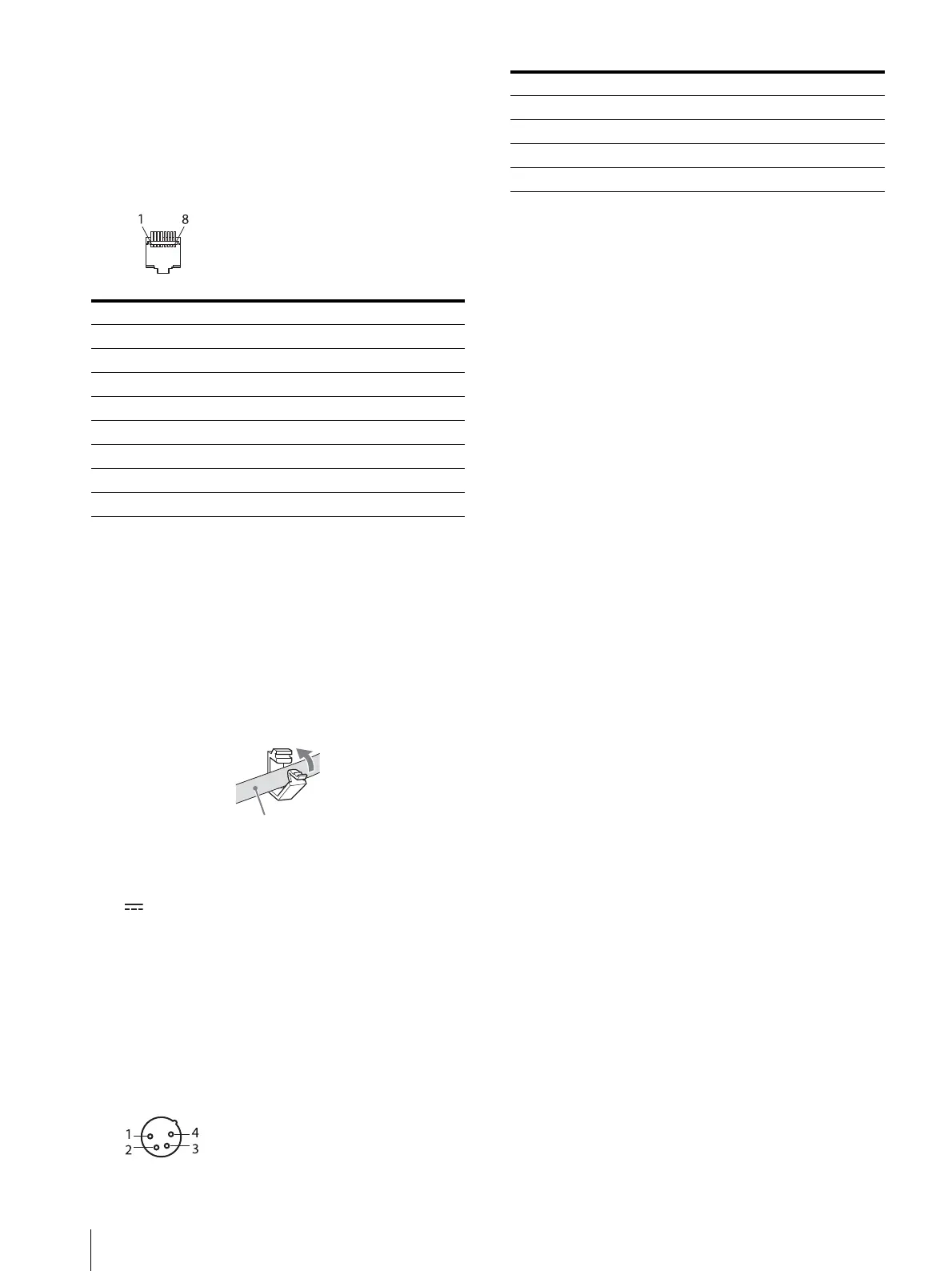
Pin assignment
You can assign functions using the [Parallel Remote]
menu (see page 26).
Wiring required to use the Remote Control
Connect the function you want to use with a Remote
Control to the Ground (Pin 5).
HDMI cable holder
Secures the HDMI cable (Ø7 mm or less).
Rotate to unlock the HDMI cable holder first, then
remove it.
(DC) input connector
Plug the DC power supply to this connector to provide
power to the monitor.
It runs on DC 12 V to 17 V.
Be sure to connect to a power supply of the specified
voltage.
Pin assignment
AC IN socket
Connect the supplied AC power cord.
Pin number Functions
1 Designating [SDI1] input signal
2 Designating [SDI2] input signal
3 Designating [HDMI] input signal
4 Designating [Composite] input signal
5GND
6 [WFM/ALM/Vector]
7 [Tally Green]
8 [Tally Red]
Pin number Functions
1– (GND)
2NC
3NC
4 + (DC 12 V to 17 V)



 To Next Page